Introduction
The purpose of this project is to enable visitors and students to identify and learn about different plant species, particularly those that are uncommon or unfamiliar in the local region. The system utilizes an Artificial Intelligence and Machine Learning (AIML) model to recognize plant species from images and provide relevant information. This project promotes awareness of biodiversity, supports educational activities, and helps users understand the significance of various plant species available in the nursery of Vigyan Ashram.
Background
Many valuable plant species present in the Vigyan Ashram nursery are unfamiliar to visitors and students. Identifying these plants manually requires prior botanical knowledge, making it difficult for the general public to learn about them. This project aims to overcome this limitation by developing an AI-based plant identification system that can recognize plant species from photographs and provide basic information about them.
Objectives
- To identify and select uncommon plant species available in the nursery.
- To collect a sufficient image dataset for each selected plant species.
- To train an Artificial Intelligence model using the collected dataset.
- To develop a digital system capable of identifying plant species from captured images.
- To provide users with basic information about the identified plant species.
Plant Species Selection
The first stage of the project involved surveying the nursery to study the available plant species. Special attention was given to selecting plants that are uncommon in the local region and available in sufficient numbers for image collection. After detailed observation, a list of 25 plant species was prepared for the project.
The identified species included:
- Gavti Chaha (Cymbopogon citratus)
- Bougainvillea
- Rose (Rosa)
- Hibiscus (Hibiscus rosa-sinensis)
- Betel Leaf (Piper betle)
- Ti Plant (Cordyline fruticosa)
- Creeping Charlie (Pilea nummulariifolia)
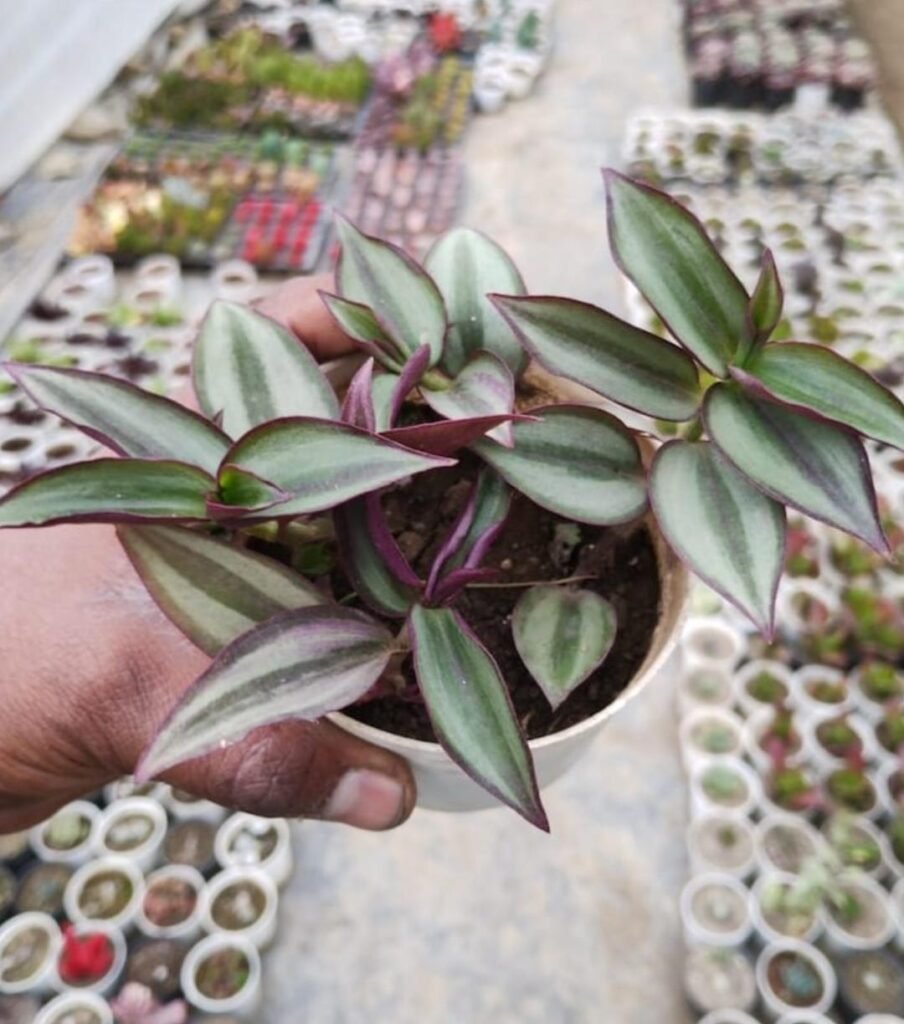
- Zebrina (Tradescantia zebrina)
- Papaya (Carica papaya)
- Drumstick (Moringa oleifera)
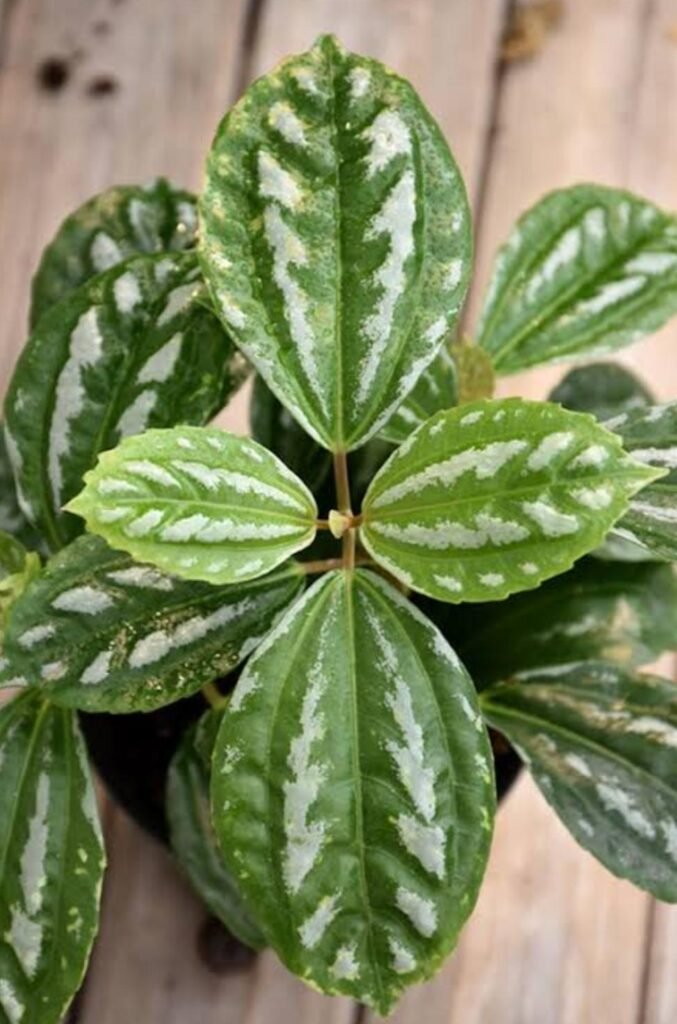
- Aluminum Plant (Pilea cadierei)
- Caricature Plant (Graptophyllum pictum)
- Mulberry (Morus alba)
- Agarwood (Aquilaria malaccensis)
- Lemon (Citrus limon)
- Purple Aster (Symphyotrichum)
- Dwarf Umbrella Plant (Schefflera arboricola)
- Neon Pothos (Epipremnum aureum)
- Fairy Castle Cactus (Acanthocereus tetragonus)
- Bean Plant (Phaseolus vulgaris)
- Spider Plant (Chlorophytum comosum)
- Jade Plant (Crassula ovata)
- Safari/Starlight (Ficus benjamina)
- Prickly Pear Cactus (Opuntia)
- Arrowhead (Syngonium podophyllum)
Dataset Collection
Based on the project requirements, an image dataset was prepared for training the Artificial Intelligence model. Initially, approximately 100–150 images per species were planned. However, to improve the performance and accuracy of the model, a larger dataset was collected.
Eleven plant species were selected for the first phase of model development:
- Aluminum Plant
- Creeping Charlie
- Prickly Pear Cactus
- Spider Plant
- Safari/Starlight
- Jade Plant
- Arrowhead
- Zebrina
- Betel Leaf
- Neon Pothos
- Fairy Castle Cactus
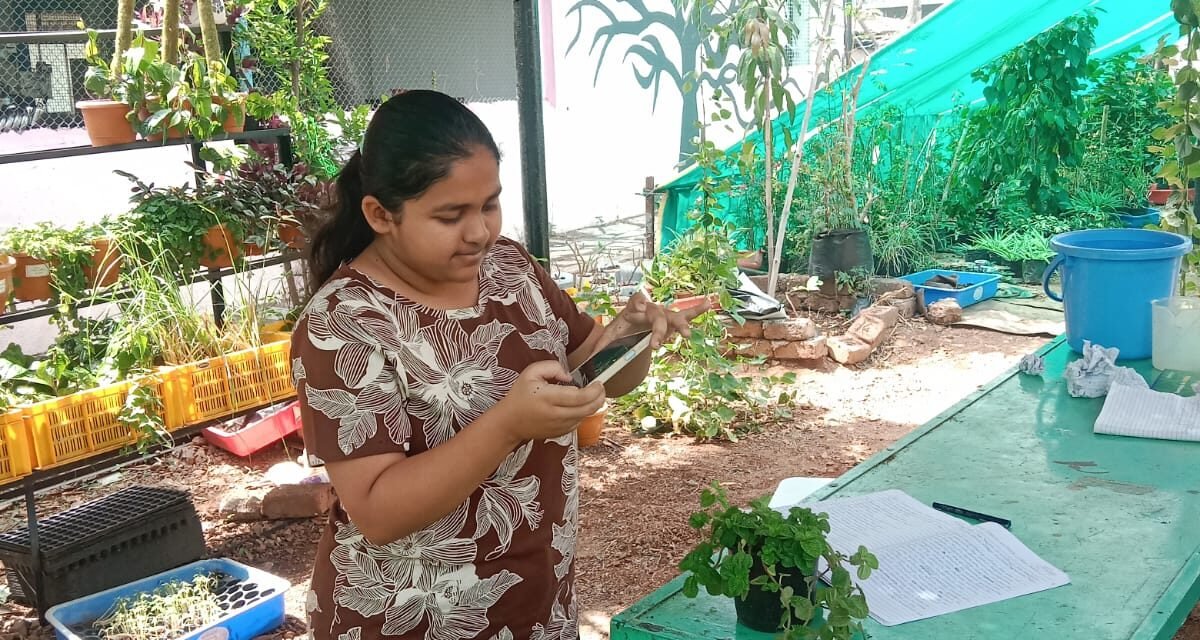
Approximately 350–400 photographs were captured for each species, resulting in nearly 3,900 images. The photographs were taken from different angles, distances, and lighting conditions to capture variations in leaf shape, size, colour, and background. This diversity helps the model learn more representative features and improves its ability to identify plant species under different conditions.
The collected images were then organized into appropriate folders for further preprocessing and model training.

AI Model Development
The development of the plant species identification model was carried out using Python 3.13.7 and Visual Studio Code. The MobileNetV2 deep learning architecture was selected because it provides efficient image classification while maintaining a lightweight model suitable for deployment on mobile devices.
Additional photographs of selected species were captured whenever required to improve the dataset. The Teachable Machine platform was also explored during the initial stages to understand image classification workflows and compare the training process.
The collected dataset was used to train the model, and the resulting model was evaluated using a separate test dataset. The trained model was able to classify the selected plant species based on the images provided.
Programming Implementation
The project was implemented using Python and TensorFlow. Two major programs were developed during the implementation process.
Code to test the model:
The first program loads the trained model and evaluates its performance using the test dataset. It also generates the classification report and confusion matrix to analyse the accuracy of the trained model.
import tensorflow as tf
TEST_PATH = r”D:\plantex\test”
test_ds = tf.keras.utils.image_dataset_from_directory(
TEST_PATH,
image_size=(224,224),
batch_size=32,
shuffle=False
)
model = tf.keras.models.load_model(“plant_model.keras”)
loss, accuracy = model.evaluate(test_ds)
print(“\n====================”)
print(f”Test Accuracy: {accuracy*100:.2f}%”)
print(“====================”)
import tensorflow as tf
import numpy as np
from sklearn.metrics import classification_report, confusion_matrix
TEST_PATH = r”D:\plantex\test”
Load test dataset
test_ds = tf.keras.utils.image_dataset_from_directory(
TEST_PATH,
image_size=(224,224),
batch_size=32,
shuffle=False
)
Load model
model = tf.keras.models.load_model(“plant_model.keras”)
True labels
y_true = np.concatenate([y.numpy() for x, y in test_ds])
Predictions
predictions = model.predict(test_ds)
y_pred = np.argmax(predictions, axis=1)
print(“\n==============================”)
print(“CLASSIFICATION REPORT”)
print(“==============================\n”)
print(classification_report(
y_true,
y_pred,
target_names=test_ds.class_names
))
print(“\n==============================”)
print(“CONFUSION MATRIX”)
print(“==============================\n”)
print(confusion_matrix(y_true, y_pred))
Code to train the model:
The second program is responsible for training the MobileNetV2 model. It loads the dataset, creates training and validation datasets, performs preprocessing, trains the neural network for 20 epochs, and saves the trained model for future predictions.
import tensorflow as tftont
tintex\dataset”
IMG_SIZE = (224, 224)
BATCH_SIZE = 32
EPOCHS = 20
train_ds = tf.keras.utils.image_dataset_from_directory(
DATASET_PATH,
validation_split=0.2,
subset=”training”,
seed=123,
image_size=IMG_SIZE,
batch_size=BATCH_SIZE
)
val_ds = tf.keras.utils.image_dataset_from_directory(
DATASET_PATH,
validation_split=0.2,
subset=”validation”,
seed=123,
image_size=IMG_SIZE,
batch_size=BATCH_SIZE
)
class_names = train_ds.class_names
print(“\nPlant Classes:”)
for i, name in enumerate(class_names):
print(i, “-“, name)
with open(“class_names.json”, “w”) as f:
json.dump(class_names, f)
AUTOTUNE = tf.data.AUTOTUNE
train_ds = train_ds.prefetch(AUTOTUNE)
val_ds = val_ds.prefetch(AUTOTUNE)
base_model = tf.keras.applications.MobileNetV2(
input_shape=(224,224,3),
include_top=False,
weights=’imagenet’
)
base_model.trainable = False
model = models.Sequential([
layers.Input(shape=(224, 224, 3)),
layers.Rescaling(scale=1./127.5, offset=-1),
base_model,
layers.GlobalAveragePooling2D(),
layers.Dropout(0.3),
layers.Dense(
len(class_names),
activation=’softmax’
)
])
model.compile(
optimizer=’adam’,
loss=’sparse_categorical_crossentropy’,
metrics=[‘accuracy’]
)
model.summary()
history = model.fit(
train_ds,
validation_data=val_ds,
epochs=EPOCHS
)
model.save(“plant_model.keras”)
print(“\nTraining Complete”)
print(“Model Saved: plant_model.keras”)
this is train.py
Conclusion:
The final phase of the project focused on deploying the developed plant species identification system so that it could be accessed through a mobile device or web application. Amazon Web Services (AWS) was selected as the preferred cloud platform for hosting the application and integrating the trained AI model. However, due to the unavailability of the required AWS hosting resources and deployment environment during the project period, the application could not be hosted for online access and real-time testing. As a result, the deployment phase could not be completed within the project duration.
Despite this limitation, all major project objectives were successfully achieved. The selected plant species were identified, a comprehensive image dataset was collected, and the Artificial Intelligence model was developed and trained using the MobileNetV2 architecture. The application and trained model were tested successfully in the local development environment, demonstrating satisfactory plant species identification. With the successful completion of data collection, model development, and local testing, the project was concluded, while cloud deployment remains a future enhancement to enable online accessibility and real-time identification.