19-10-2026 to 25-10-2026
Developing a Student Attendance App Using MIT App Inventor
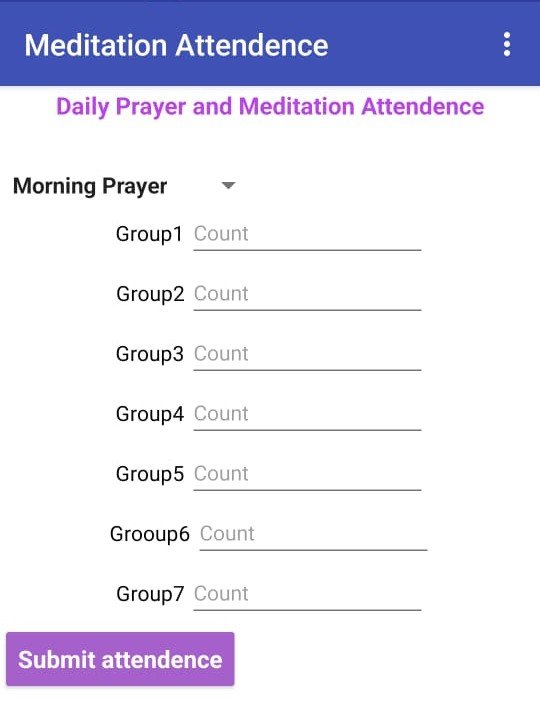
With the help of Arti Mam, we developed student attendance app in MIT App Inventor. It takes student attendance group-wise.
How it works
- The app has two sessions, Prayer and Meditation. The teacher selects the session first.
- Below that, the screen shows the groups (Group 1, Group 2, and so on, up to Group 7).
- Each group has a count textbox, where the teacher enters the number of students who are present.
- After filling in all the groups, the teacher taps the Submit button.
Saving the data
- The app is linked to a Google Sheet, so every submission is saved there automatically.
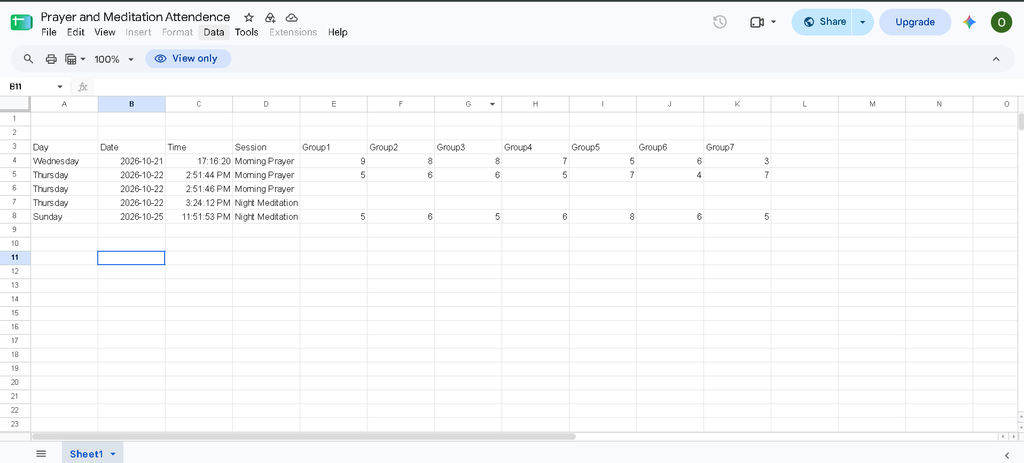
The Student Attendance App in Android Studio
- Project Objective: Simplify daily student attendance across multiple groups and sessions.
- Login and Admin Panel: PIN-based login and management of students, groups, sessions, and teachers.
- Group-Wise Attendance: Record present/absent counts, add notes, and preview attendance before saving.
- Data Storage: Save and synchronise data using Firebase and Google Sheets.
- Reports: Generate attendance reports and export them to Excel/CSV.
- Sharing and Security: Share reports through WhatsApp and prevent duplicate attendance entries.
Student Attendance App:
Login and users
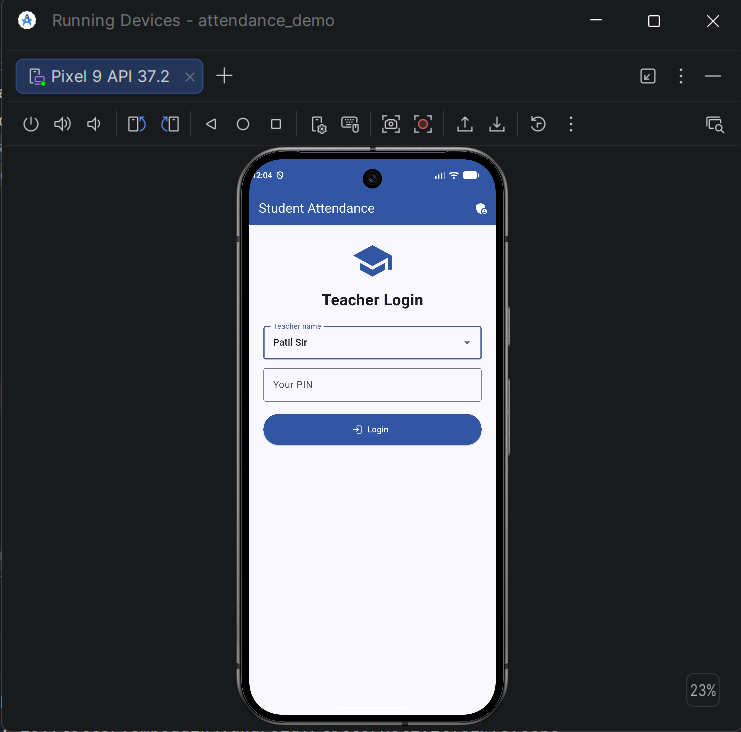
- Teachers log in by choosing their name and entering a PIN.
- The admin logs in from the admin icon at the top right of the login page.
- The admin sets a default PIN for new teachers, and each teacher must create their own PIN at the first login.
- Teachers can change their PIN at any time and stay logged in until they log out.
Admin panel
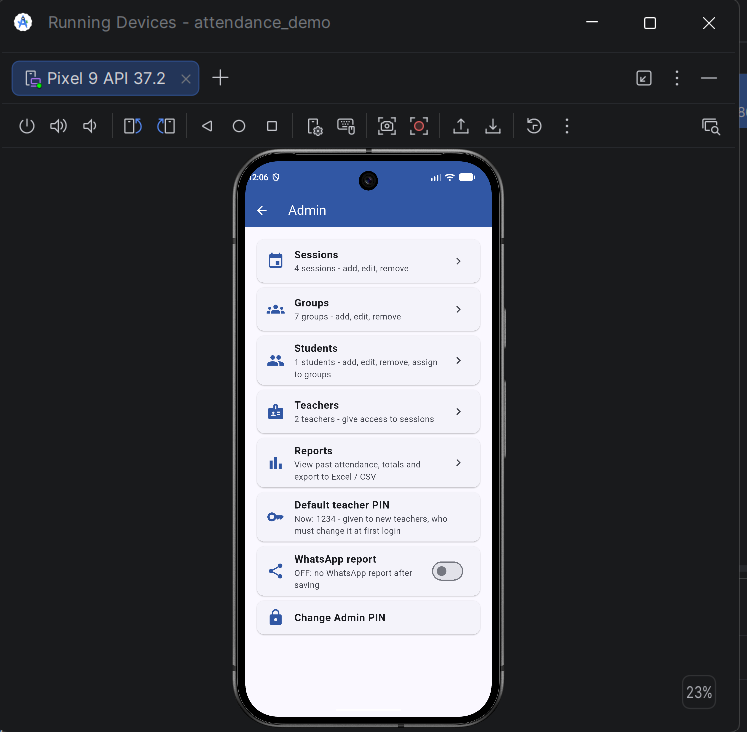
- Add, edit and remove sessions (Prayer, Meditation, Lunch, Dinner and more), each with its own icon.
- Add, edit and remove groups.
- Add, edit and remove students with their details (name, roll number, department, phone, notes), search and filter them by group, and add many students at once.
- Add teachers and choose which sessions each teacher can take attendance for.
- Change the admin PIN and the default teacher PIN.
- Attendance Reports: View daily, weekly, and monthly attendance reports.
- WhatsApp Sharing (ON/OFF): Enable or disable attendance report sharing through WhatsApp.
Taking attendance
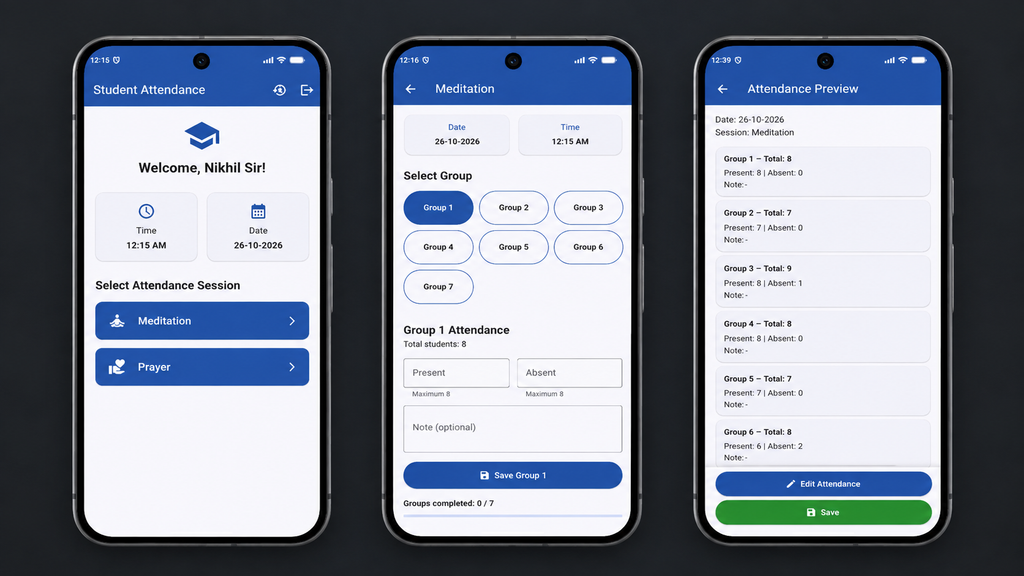
- The teacher sees only the sessions the admin gave them.
- The teacher selects a group and enters either Present or Absent, and the app fills in the other one automatically.
- A note can be added for each group.
- A progress bar shows how many groups are done.
- A preview screen shows everything before saving, and the teacher can edit it there.
- After saving, the session is disabled for the rest of the day and opens again the next day.
Saving the data
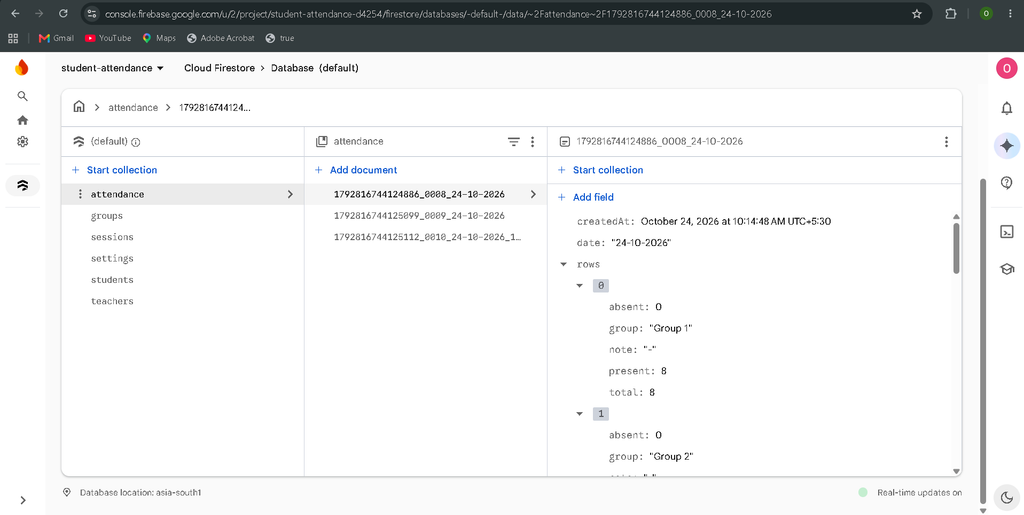
- Attendance is saved in the Firebase online database, so every phone sees the same data.
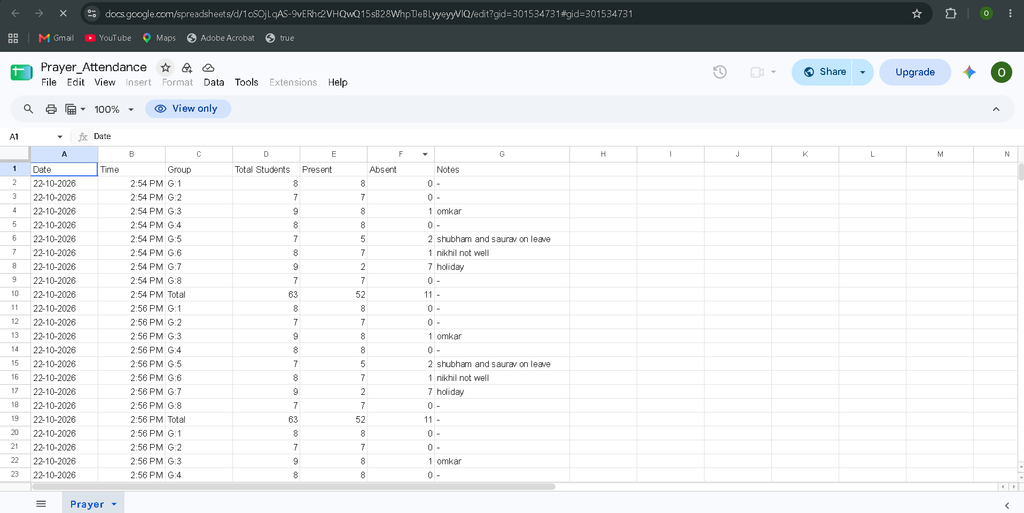
- Meditation and Prayer are also sent to their own Google Sheets.
- Only one attendance per session per day is accepted, even if two teachers press Save together.
- Saved attendance can’t be edited or deleted from the app.
Reports and sharing
- The admin can view past attendance by date range, session and group, with totals and percentages.
- Reports export to Excel/CSV in two formats: a detailed file (one row per group) and a summary file (one row per session, with groups as columns).
- The app creates a WhatsApp message with each group’s present and absent count and the total, ready to share.
- The admin can switch on a setting that opens the WhatsApp share screen automatically after saving.