Problem Statement
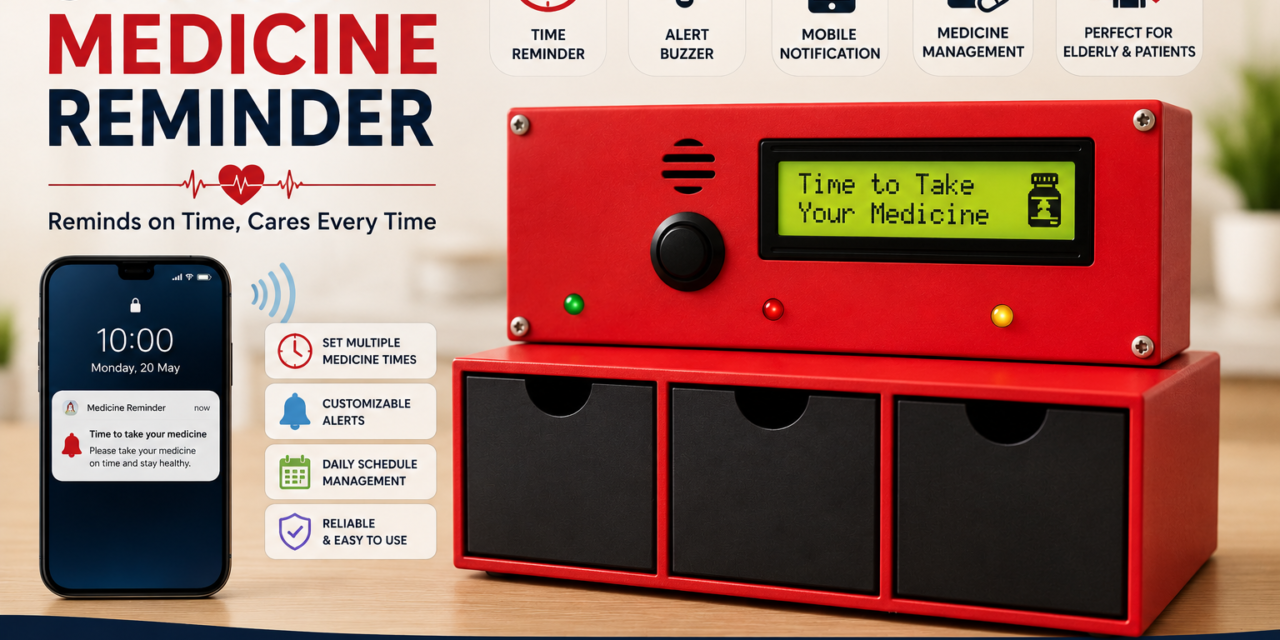
Many people forget to take their medicines at the correct time, especially elderly people and patients who need to take medicines regularly. Missing or delaying medicines can affect their health and treatment.
The main problem is the lack of a simple system that can remind the user at the right time and also send a notification to their mobile phone. Therefore, there is a need for a smart medicine reminder system that gives reminders through a display, buzzer, LED, and mobile notification.
Proposed Solution
The proposed solution is a Smart Medicine Reminder that helps users take their medicines on time. The system uses an ESP32-C3 to control the reminder process. A DS3231 RTC is used to keep accurate time, and an LCD displays the current time and medicine reminder information.When it is time to take the medicine, the system gives an alert using a buzzer and LED. At the same time, a notification is sent to the user’s mobile phone through the Blynk app. This makes it easier for the user to remember their medicine and follow their medicine schedule.
Key Features
- Accurate time tracking using DS3231 RTC
- LCD display for showing time and reminder information
- Buzzer alert at the medicine time
- LED indication for the medicine reminder
- Mobile notification through the Blynk app
- Easy to use and simple reminder system
- Helps users take medicines on time
- ESP32-C3 based smart and compact system
Working Principle
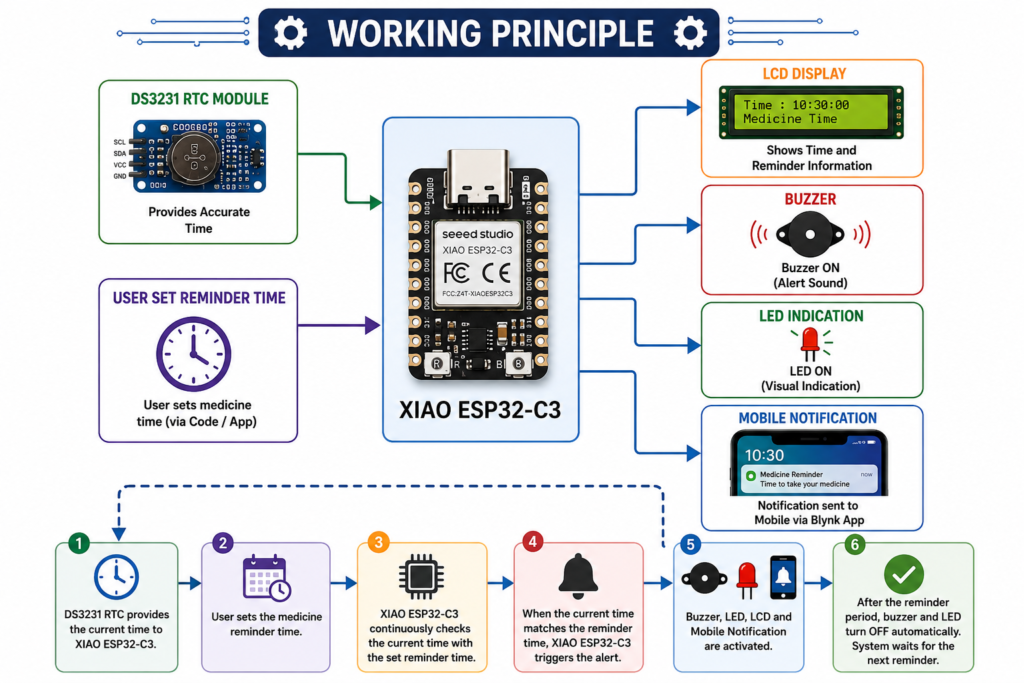
The Smart Medicine Reminder uses the ESP32-C3 as the main controller. The DS3231 RTC keeps the current time accurately. The user sets the required medicine reminder time in the system.
When the current time matches the set reminder time, the ESP32-C3 activates the buzzer and LED to remind the user. The LCD also displays the reminder message. At the same time, a notification is sent to the user’s mobile phone through the Blynk app.After the reminder period, the buzzer and LED turn off. The system then continues to check the time for the next medicine reminder.
Block Diagram
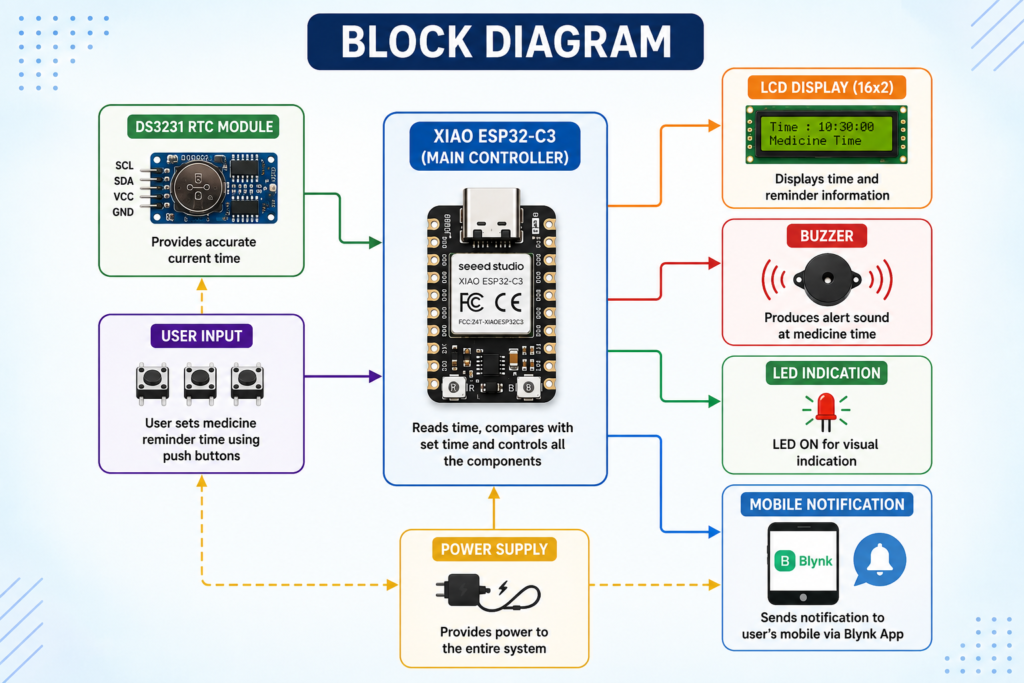
The Smart Medicine Reminder consists of different blocks that work together to provide a timely medicine reminder.
DS3231 RTC: Provides accurate current time to the XIAO ESP32-C3.
XIAO ESP32-C3: Acts as the main controller. It checks the current time and compares it with the set medicine reminder time.
LCD Display: Displays the current time and medicine reminder information.
Buzzer: Produces an alert sound when it is time to take the medicine.
LED: Provides a visual indication during the medicine reminder.
Wi-Fi: Connects the XIAO ESP32-C3 to the internet for sending mobile notifications.
Blynk App: Sends a medicine reminder notification to the user’s mobile phone.
Overall Flow:
DS3231 RTC → XIAO ESP32-C3 → LCD Display + Buzzer + LED
XIAO ESP32-C3 → Wi-Fi → Blynk App → Mobile Notification
Expected Outcome
The expected outcome of the Smart Medicine Reminder is to provide a simple and reliable system that reminds the user to take medicine at the correct time. The system will display the time and reminder information on the LCD and give an alert through the buzzer and LED. It will also send a notification to the user’s mobile phone through the Blynk app. This system will help users remember their medicines on time and reduce the chances of missing or delaying a medicine.
Circuit/System Design
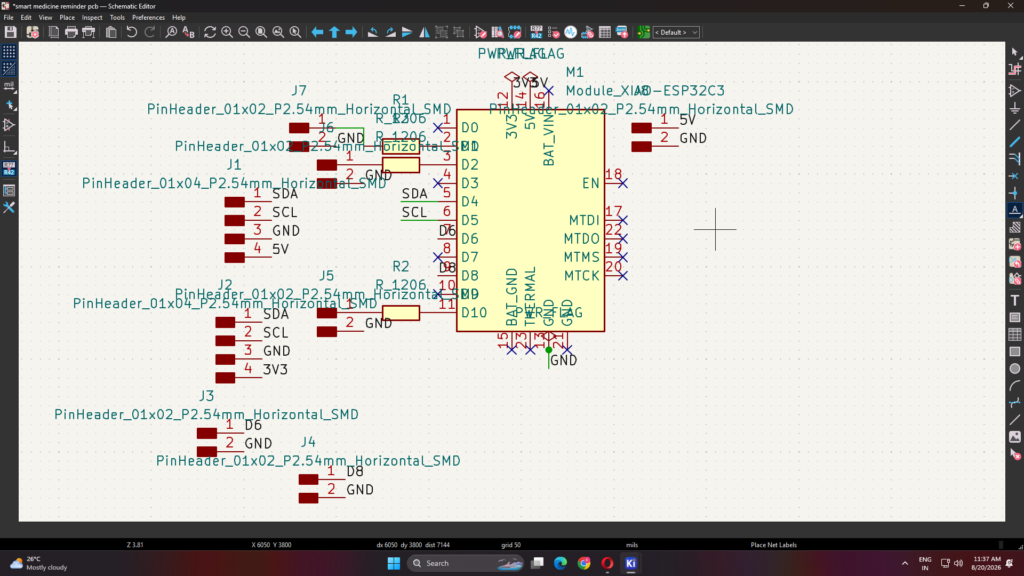
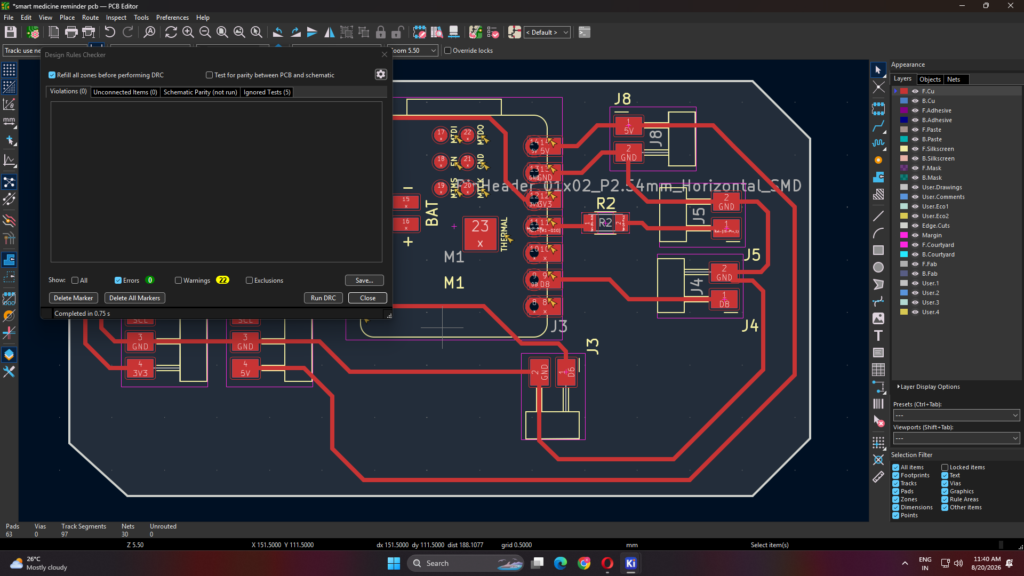
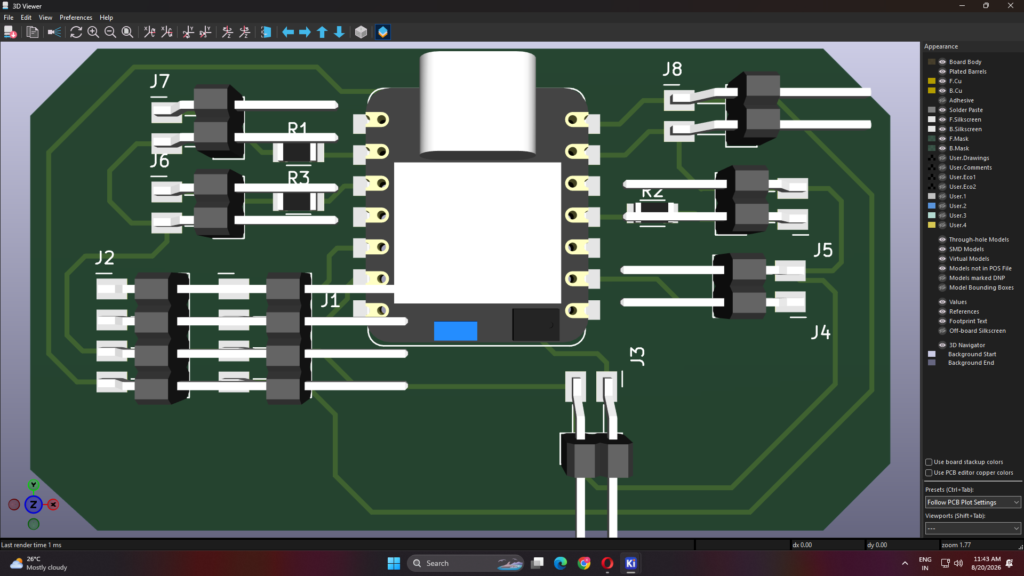
The Smart Medicine Reminder is designed using a custom PCB, with the XIAO ESP32-C3 as the main controller. The PCB is designed to connect all the required components in a neat and organized way. The DS3231 RTC is connected to the XIAO ESP32-C3 using I2C communication to provide accurate time. The LCD is connected to display the current time and medicine reminder information.
The buzzer and LED are connected to the controller to provide sound and visual alerts when it is time to take the medicine. The XIAO ESP32-C3 uses Wi-Fi to send medicine reminder notifications to the user’s mobile phone through the Blynk app. Push buttons are used to set or change the medicine reminder time.
The PCB design helps to reduce loose wiring and makes the overall system compact, reliable, and easy to assemble. All components are connected according to the circuit design and powered through a suitable power supply.
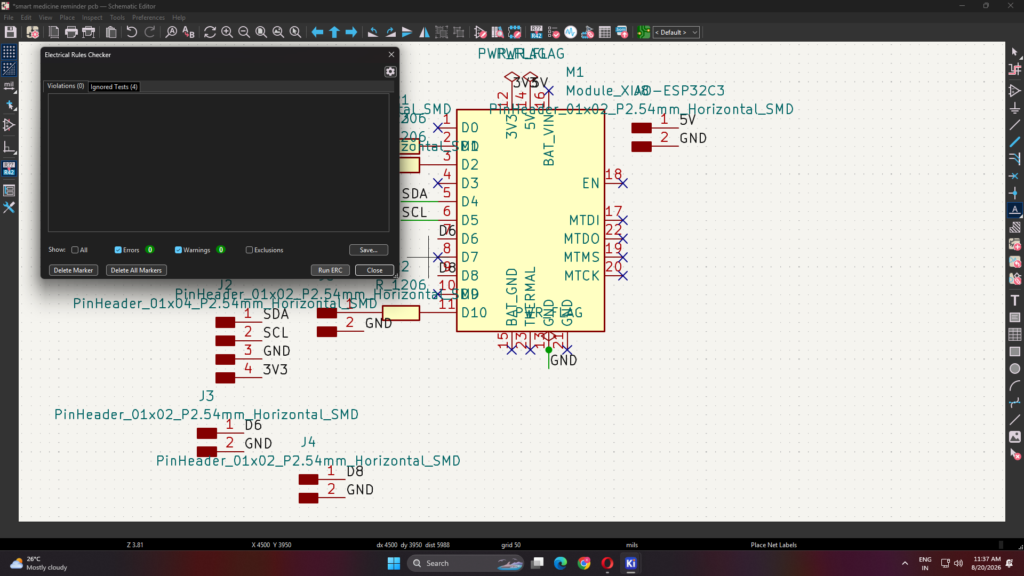
Checking ERC
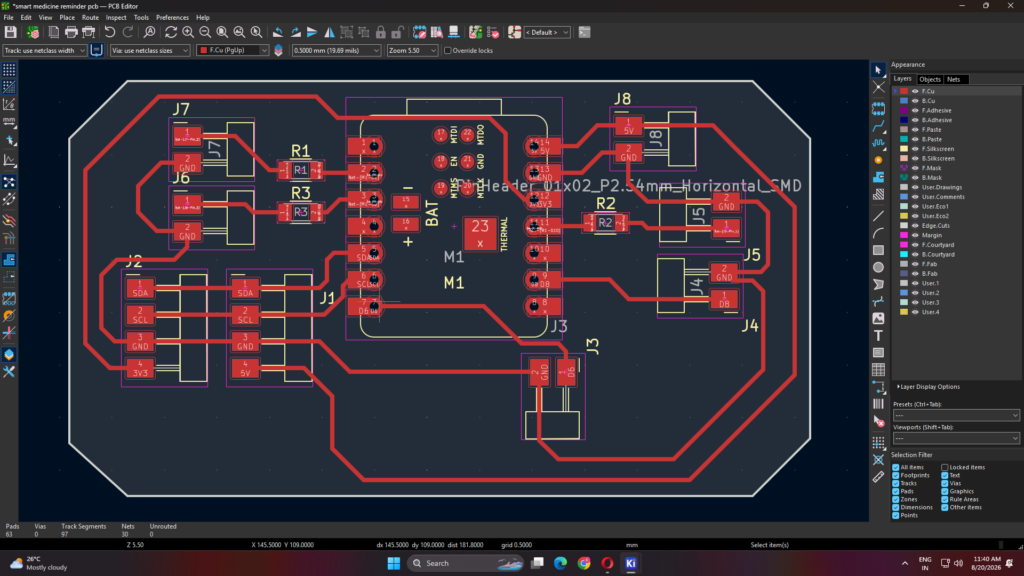
Checking DRC
3D View
PCB Milling
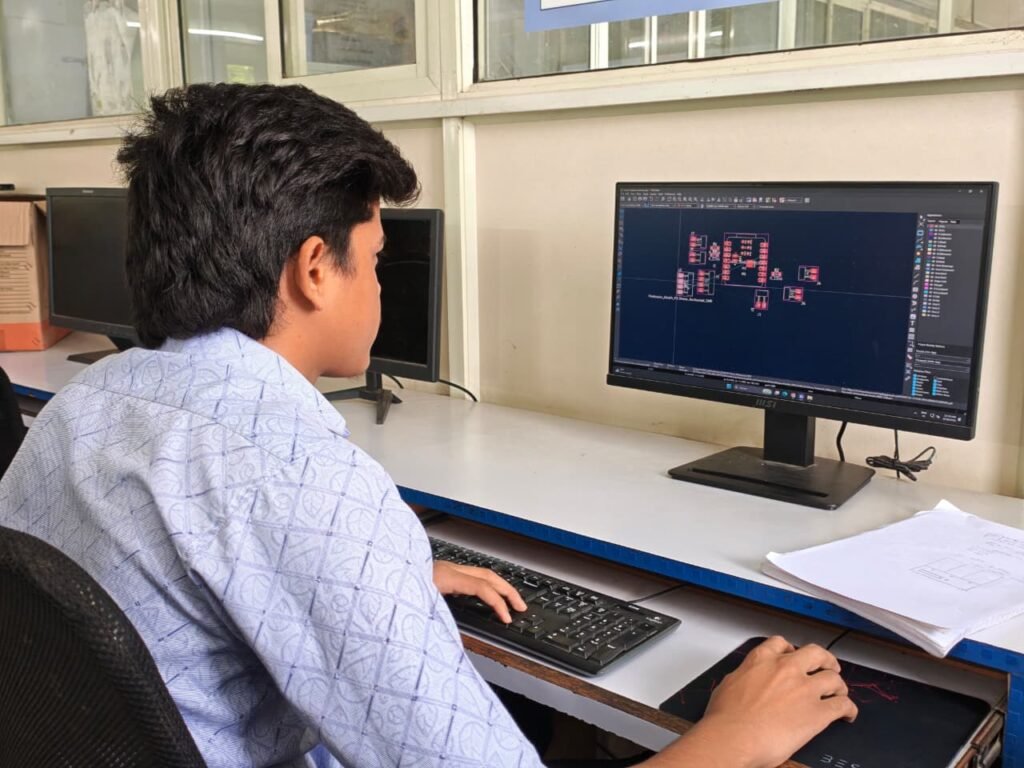
After completing the PCB design, the PCB was fabricated using the SRM-20 milling machine. The final PCB layout was prepared and checked for correct tracks, component positions, and connections before starting the milling process.
The PCB layout was then loaded into the SRM-20 machine. The unwanted copper was removed from the copper-clad board to create the required circuit tracks. The machine was also used to drill the required holes for mounting the components and connectors.
After milling, the PCB was cleaned and inspected for broken tracks, unwanted copper connections, and short circuits. The milled PCB was then ready for soldering the components and connectors. This process helped to create a compact and properly organized PCB for the Smart Medicine Reminder.
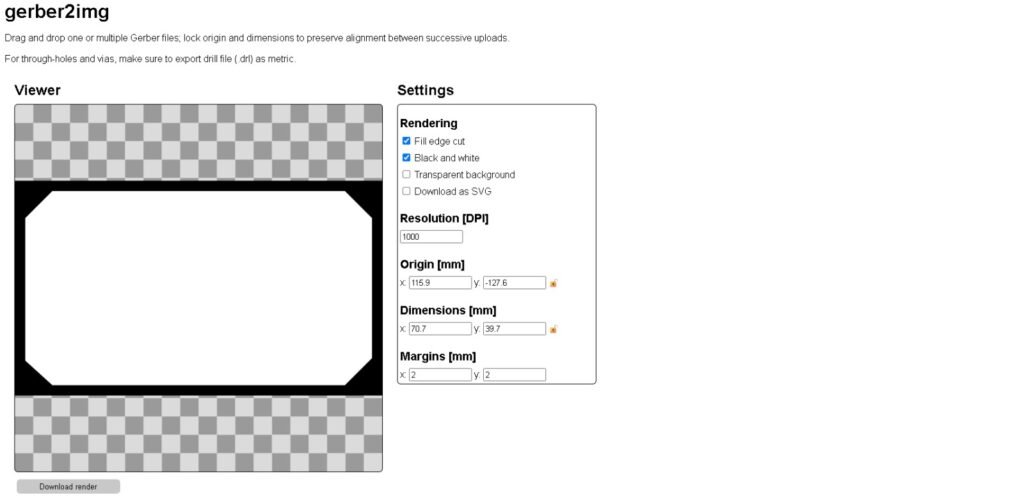
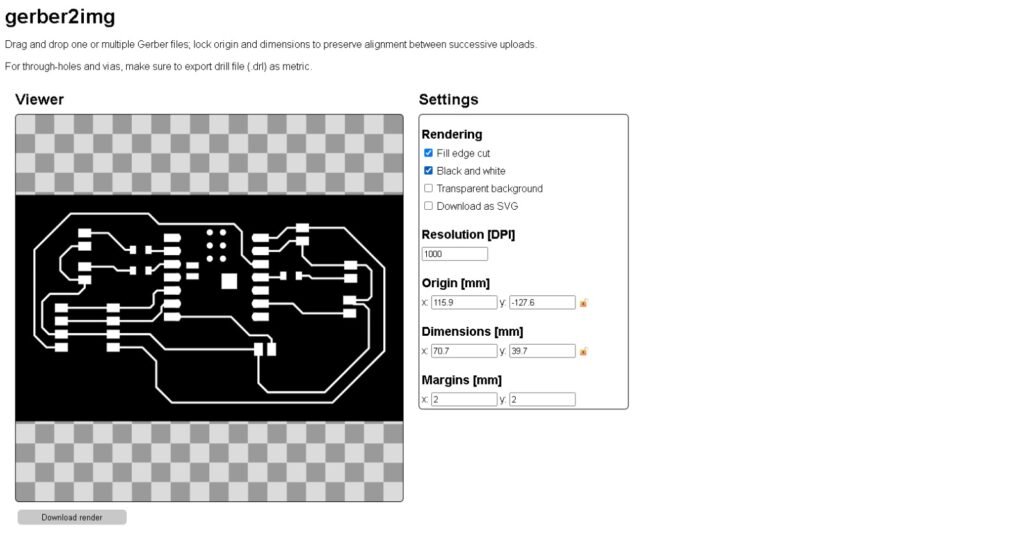
check the measurement if they are different give the edge cut measurement to trace cut
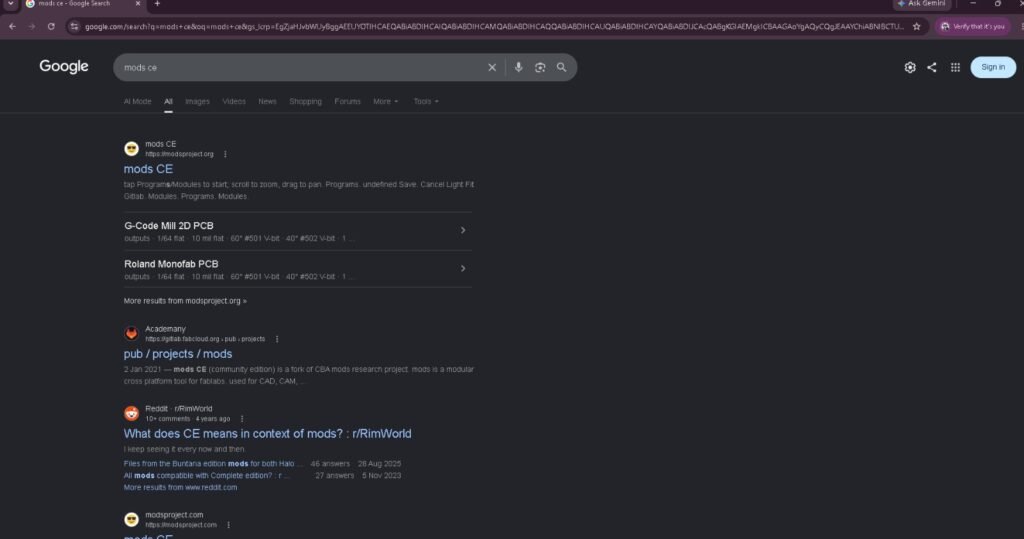
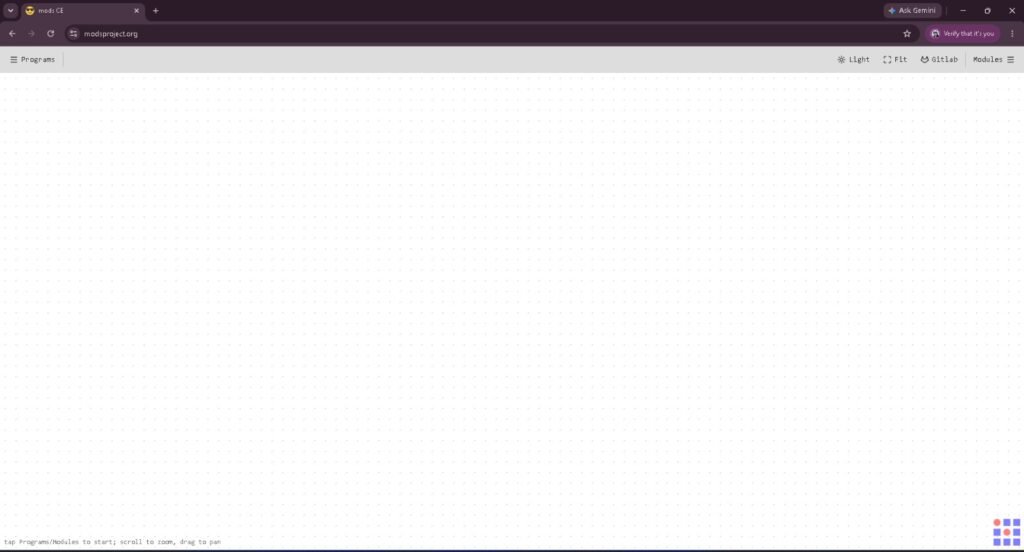
Click on mods CE
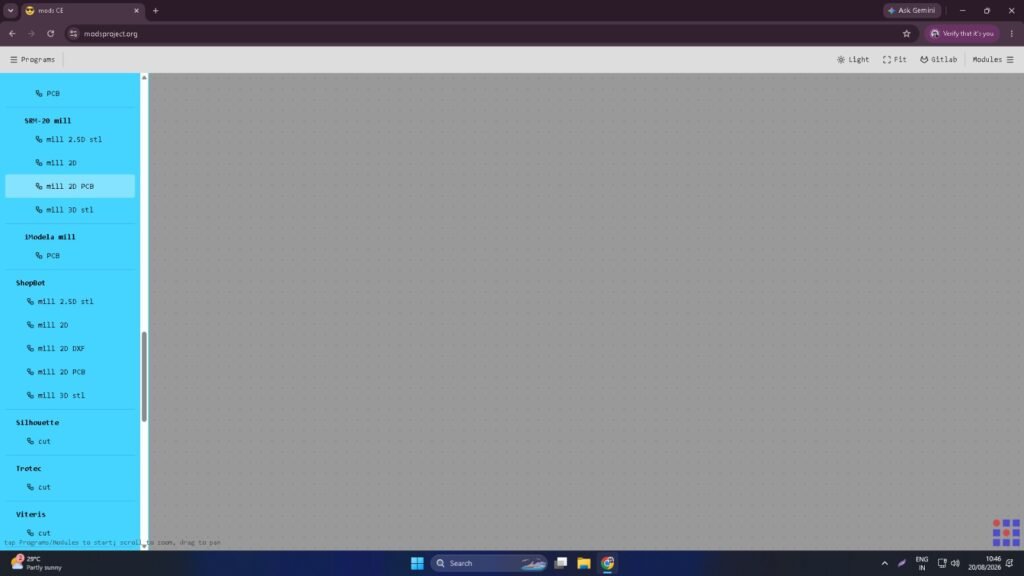
click on program and search for SRM 20 mill and click on mill 2D PCB
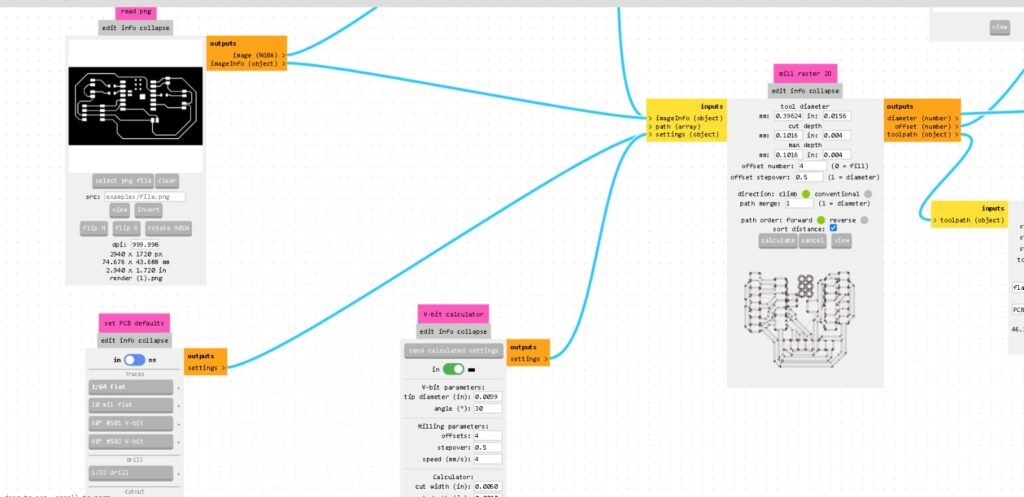
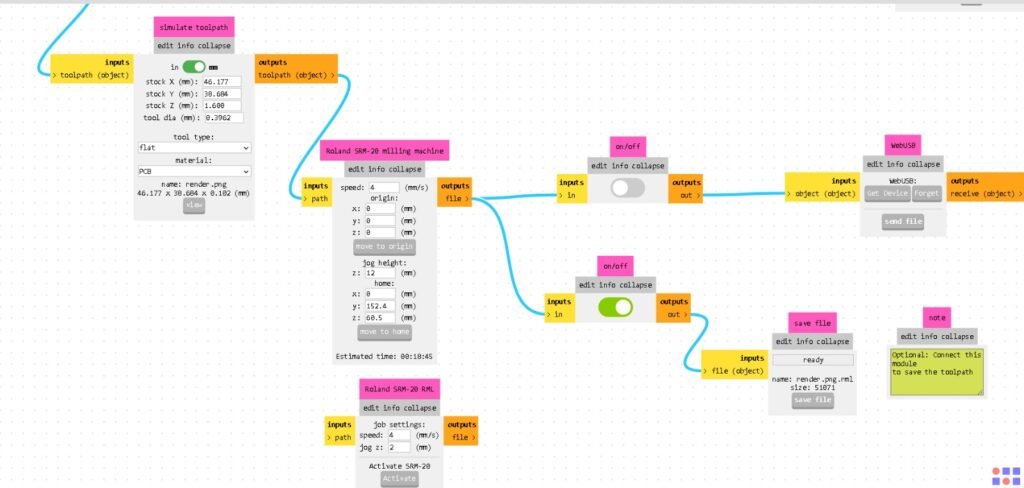
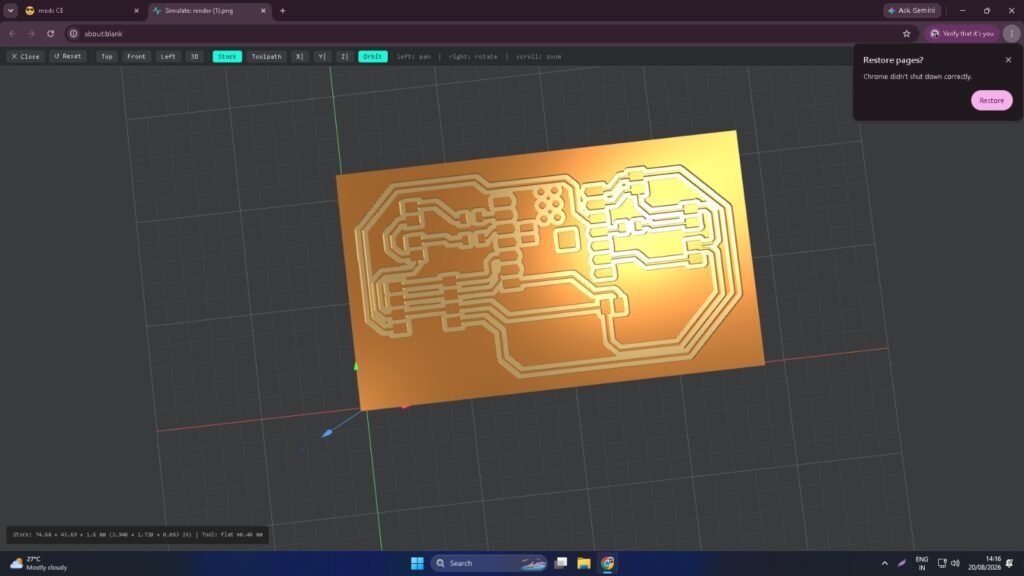
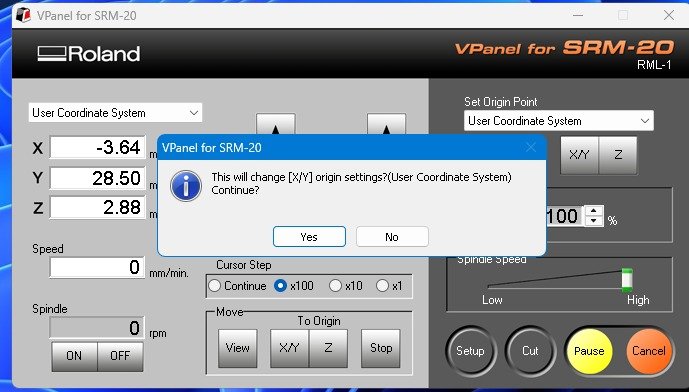
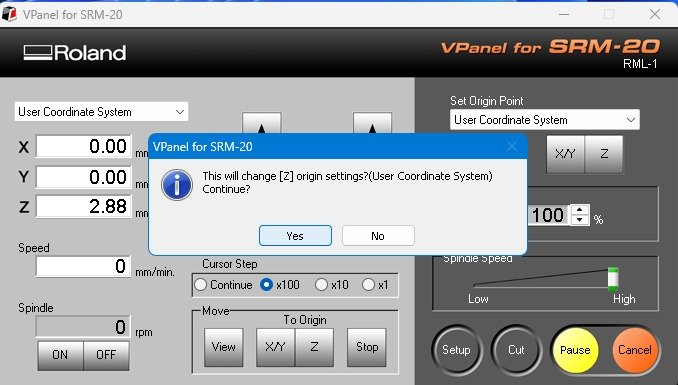
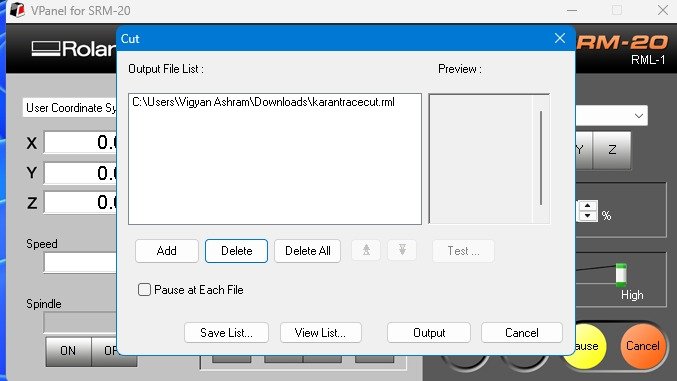
Click on Output
Componentss used
| Sr. No. | Component | Quantity | Purpose |
|---|---|---|---|
| 1 | XIAO ESP32-C3 | 1 | Main controller |
| 2 | DS3231 RTC | 1 | Accurate time keeping |
| 3 | LCD Display | 1 | Displays time and reminder |
| 4 | Buzzer | 1 | Gives sound alert |
| 5 | LED | 3 | Gives visual indication |
| 6 | Push Button | 1 | Used for setting the reminder |
| 7 | PCB | 1 | Connects all components |
| 8 | Resistors | 3 | Used for circuit connections |
| 9 | Power Supply | 1 | Provides power to the system |
| 10 | Jumper Wires/Connectors | As required | For electrical connections |
Soldering Connectors to PCB
After completing the PCB milling process, the required connectors were soldered onto the PCB. First, the connector positions were checked according to the PCB design. The connectors were then placed properly and soldered carefully using a soldering iron and solder wire. Proper care was taken to avoid short circuits and unwanted connections between nearby pins.
After soldering, all the joints were visually inspected and checked for proper continuity. The connectors provide an easy way to connect and disconnect the XIAO ESP32-C3, LCD, RTC, and other components from the PCB. This makes the system neat, organized, and easier to assemble and test.
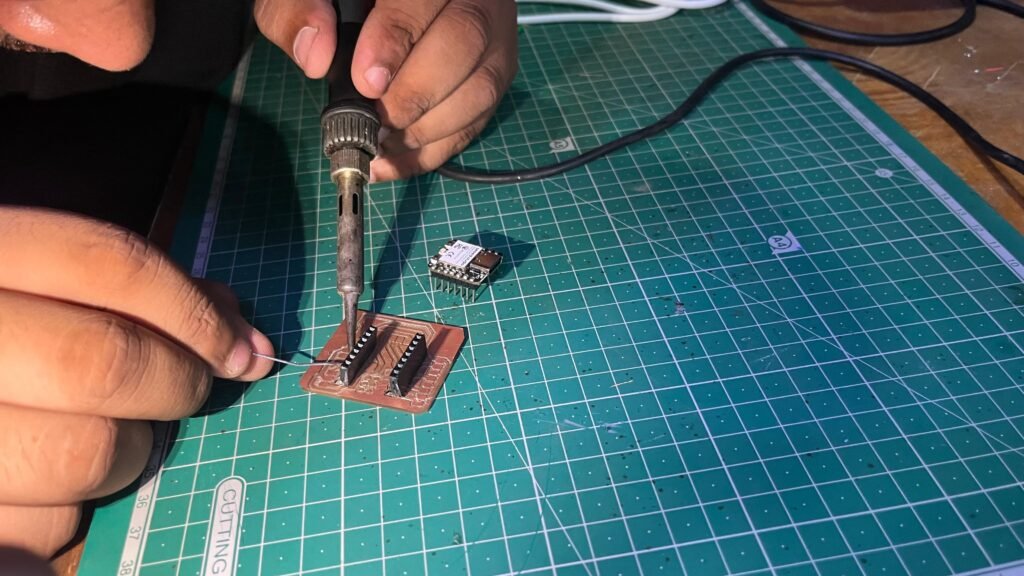
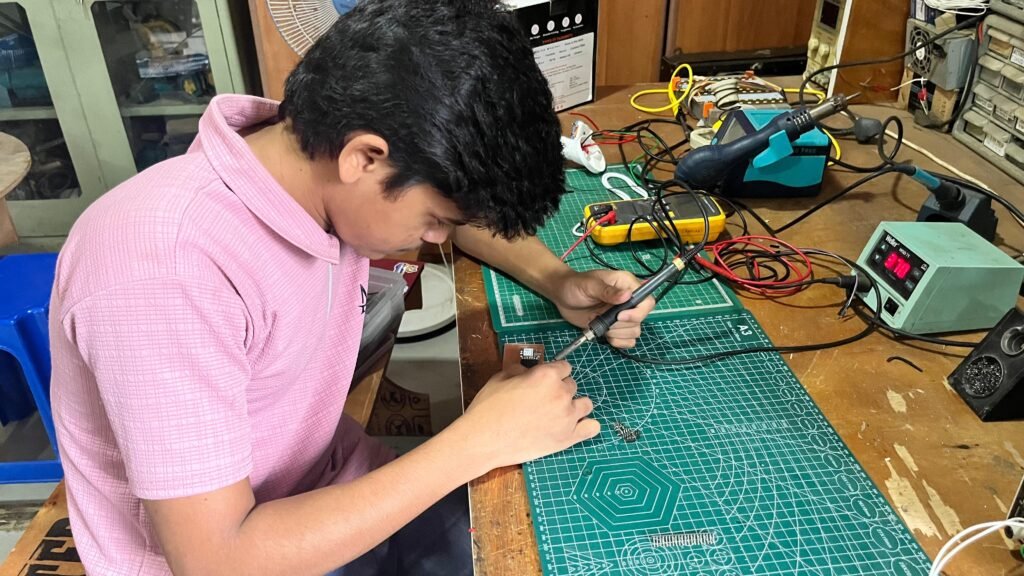
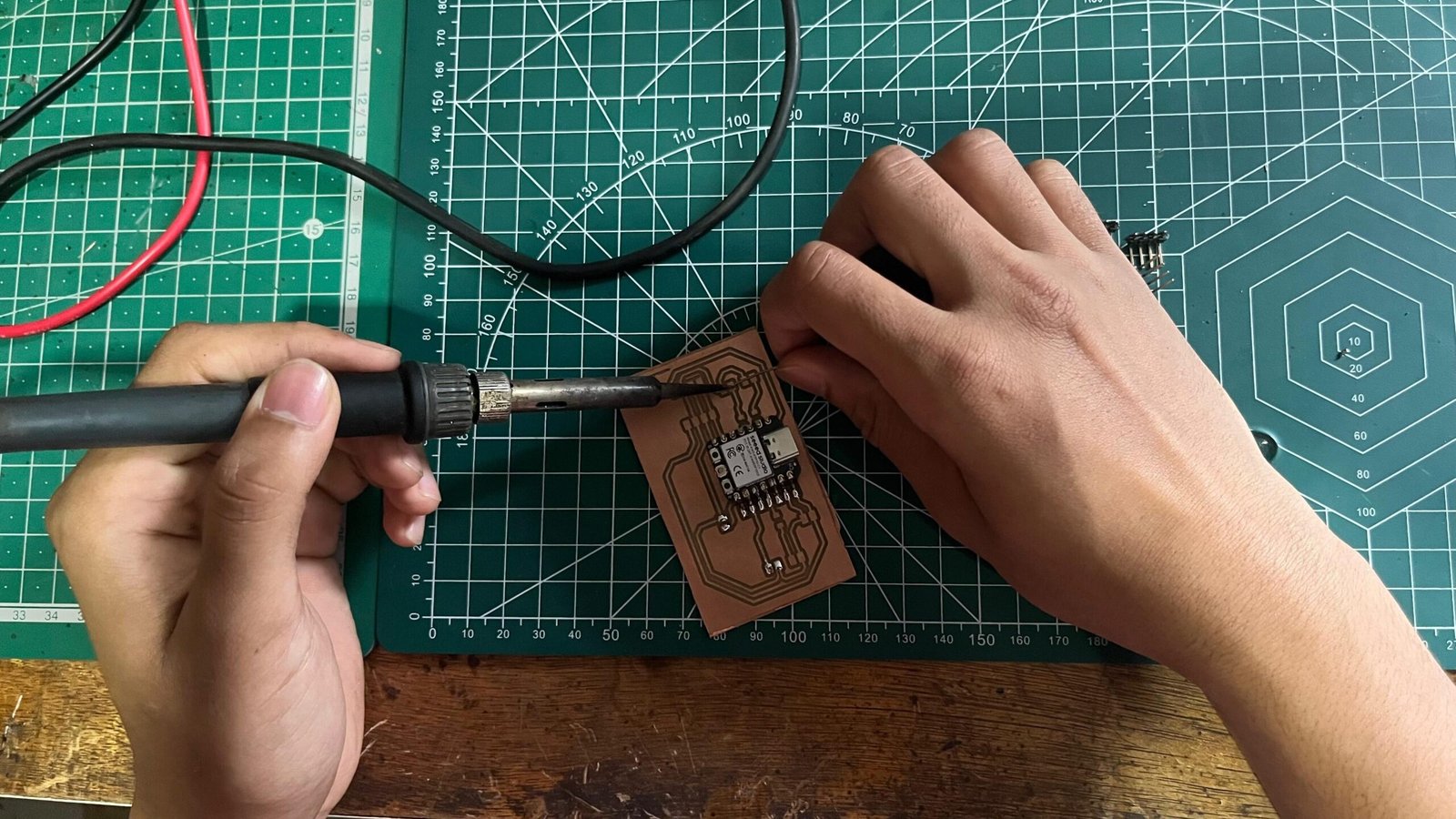
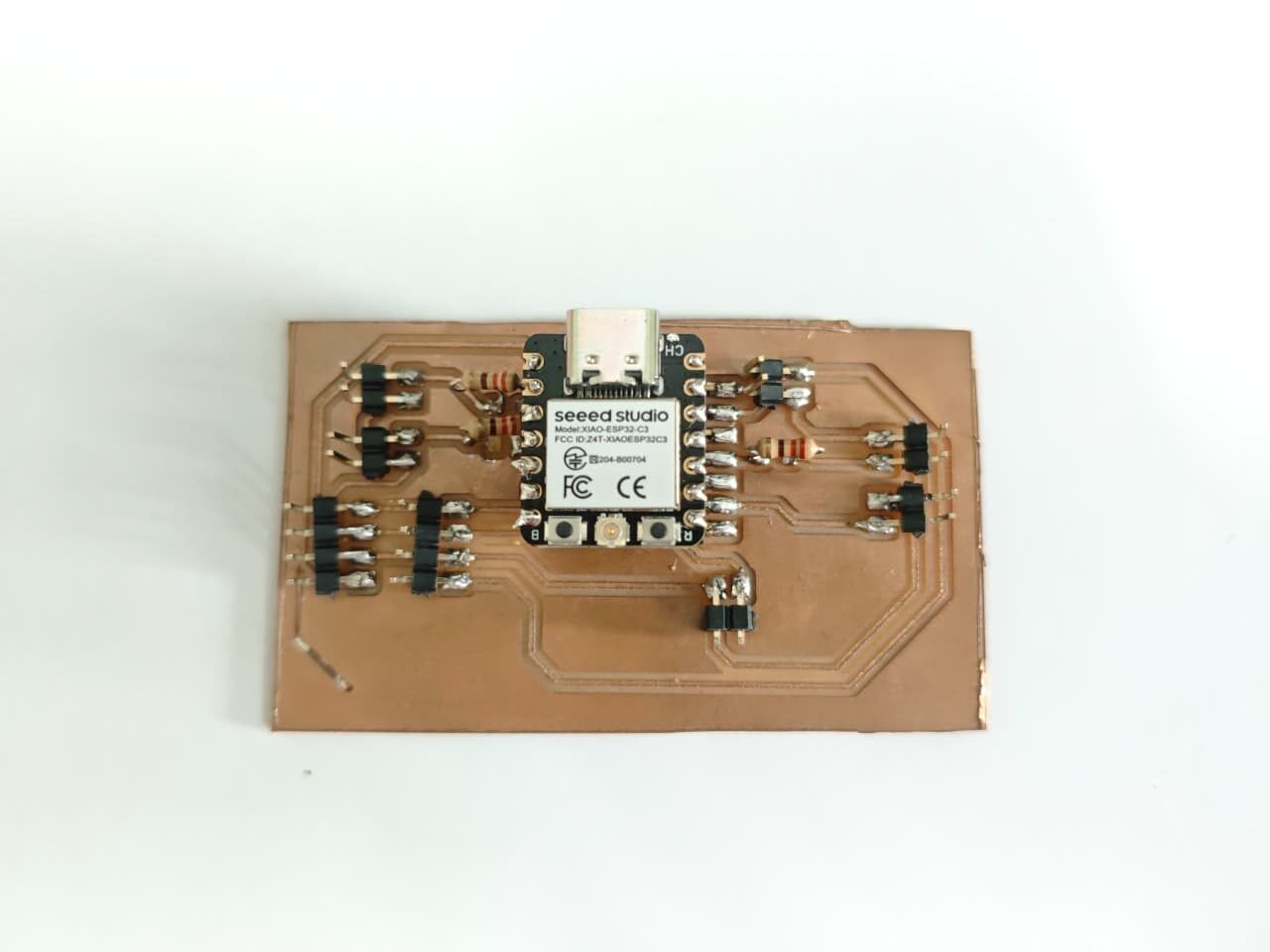
Final PCB After soldering all Connectors
Creating Blynk App
The Blynk app was used to connect the Smart Medicine Reminder with the user’s mobile phone. First, a new Blynk template was created for the project. The required device settings and communication parameters were configured in the Blynk platform.
Different virtual pins were assigned for the medicine reminder times and RTC time. The morning, afternoon, and night medicine timings were connected to separate virtual pins. A time display was also added to show the current RTC time in the Blynk app.
Blynk events were created for the medicine reminders so that the user can receive a notification on the mobile phone when it is time to take the medicine. The XIAO ESP32-C3 connects to the Blynk app through Wi-Fi and sends the required data and notifications.
After completing the setup, the Blynk app was tested with the Smart Medicine Reminder to check whether the medicine timings, current time, and mobile notifications were working correctly.
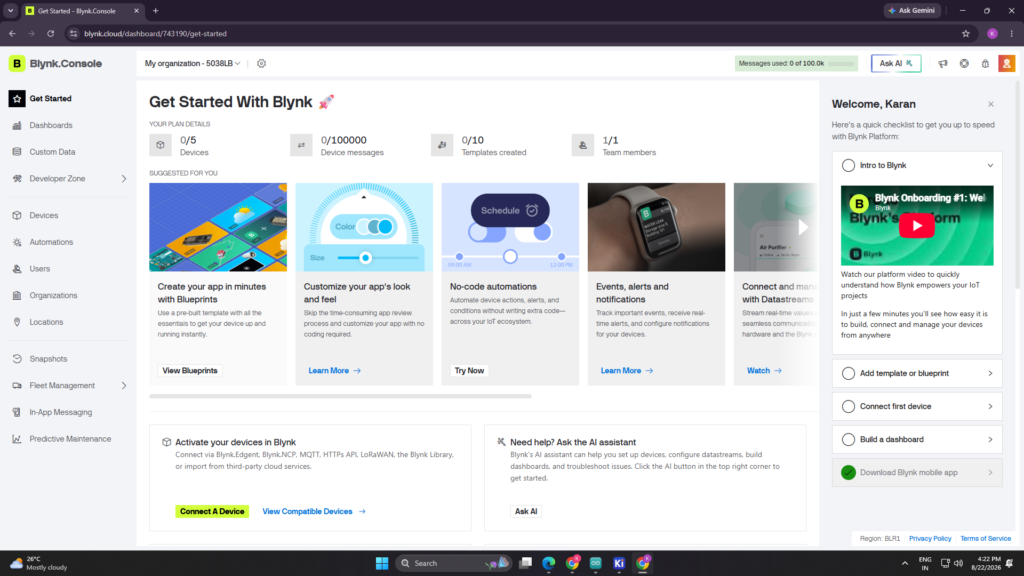
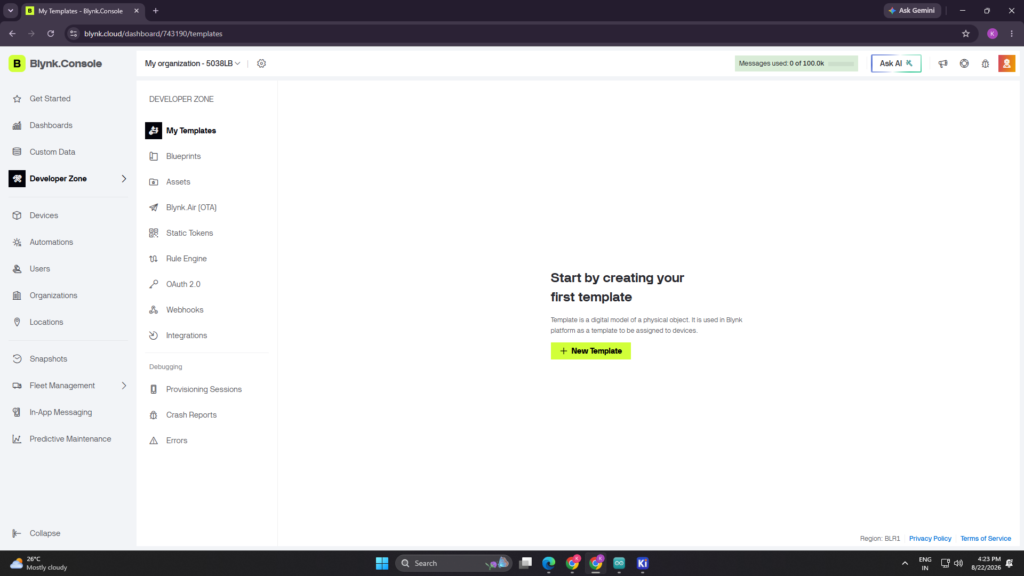
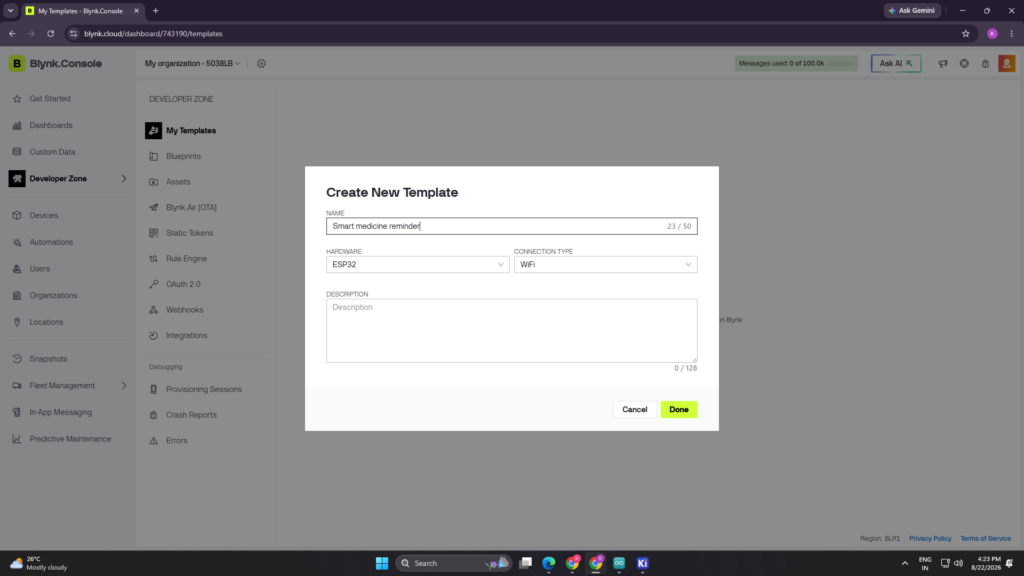
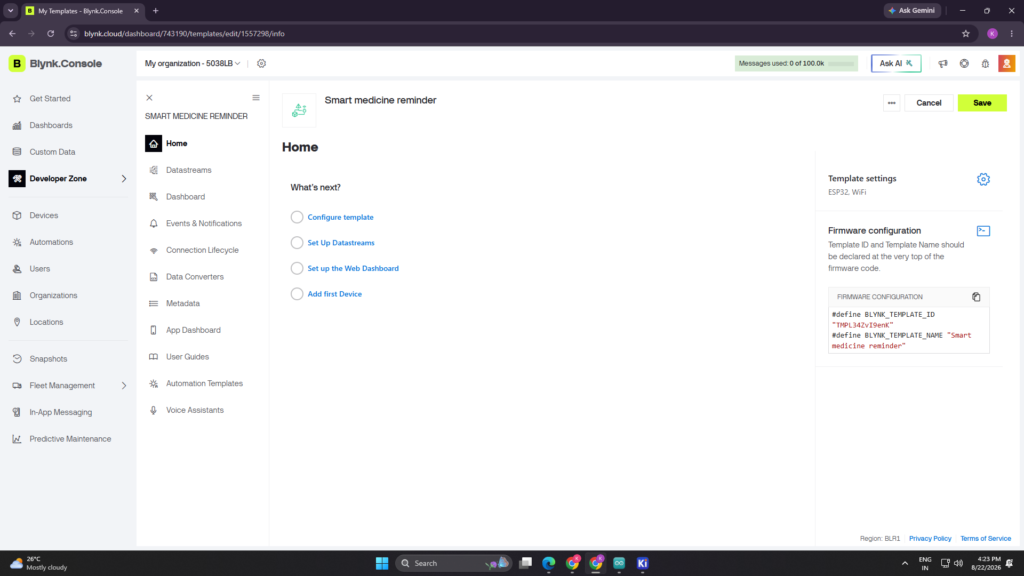
Create new Template
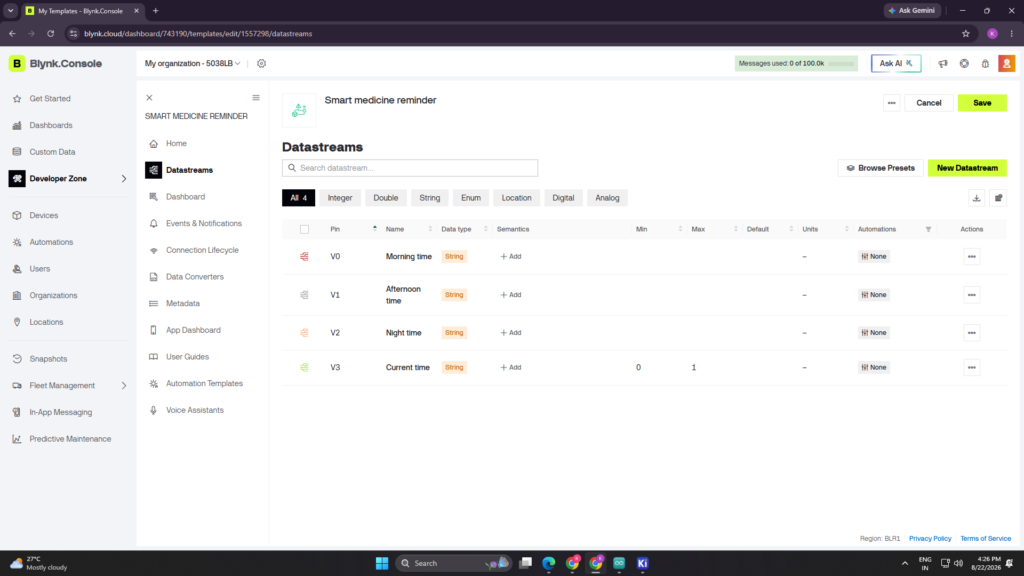
Ceate Datastream
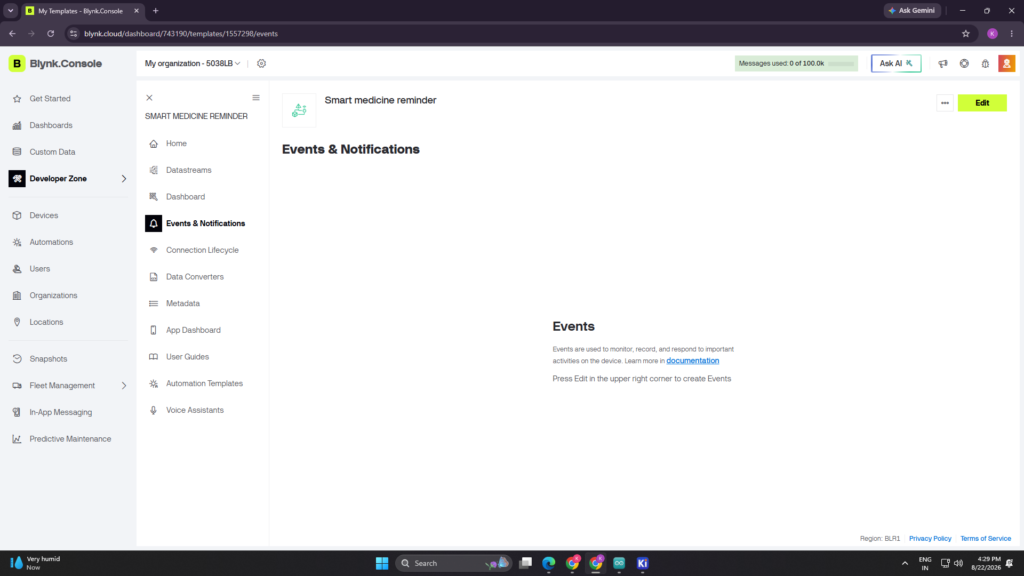
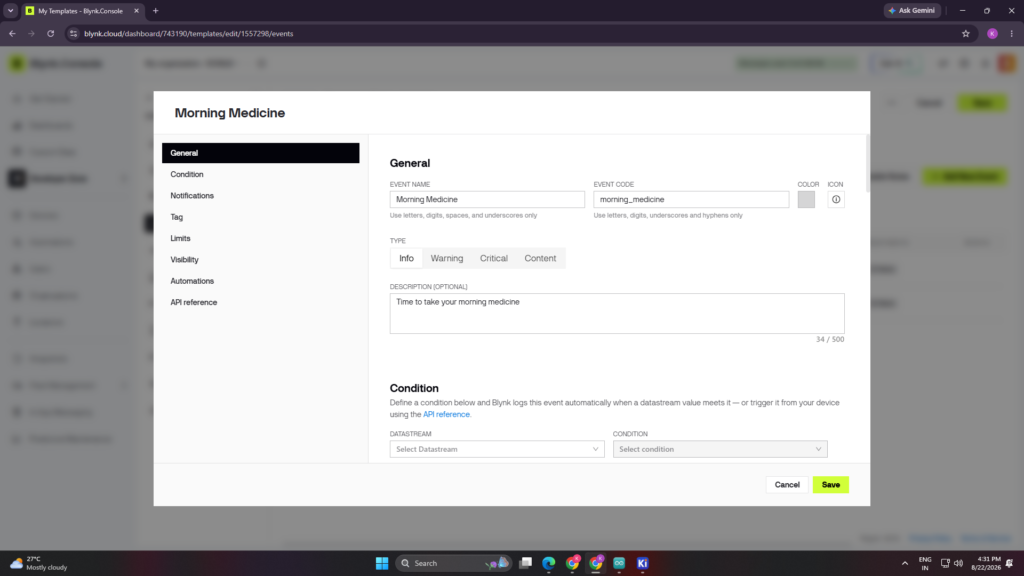
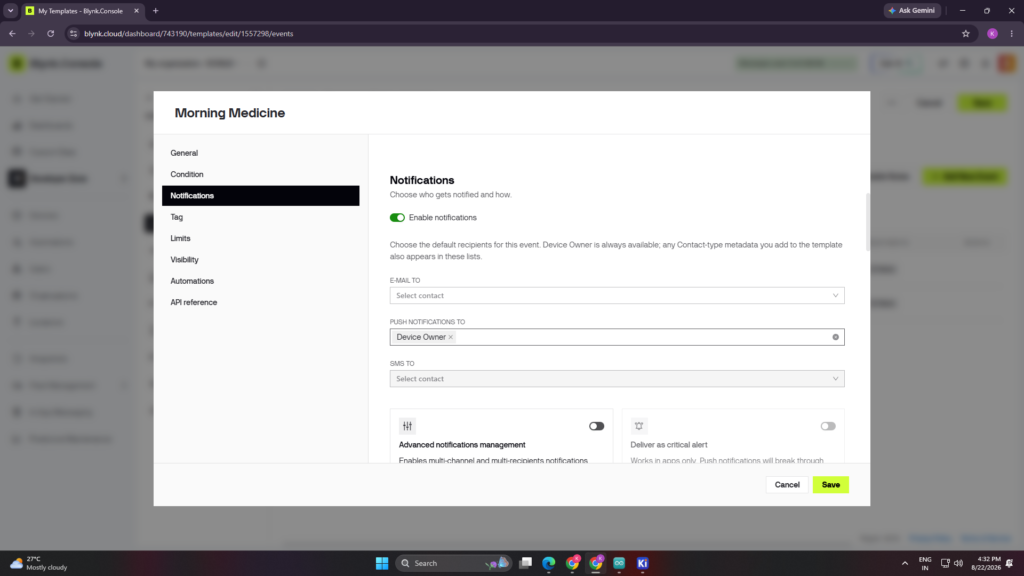
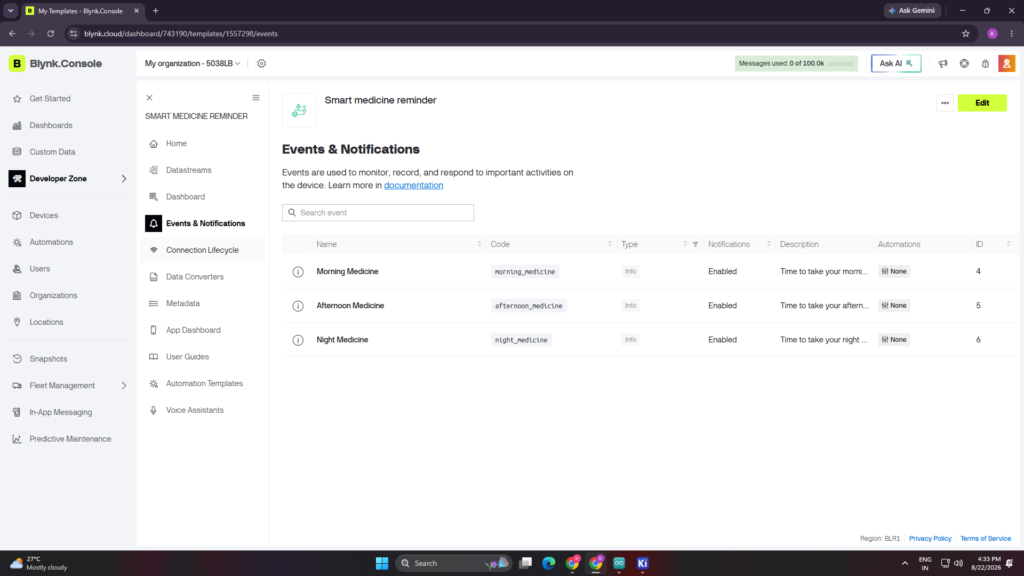
Create Event
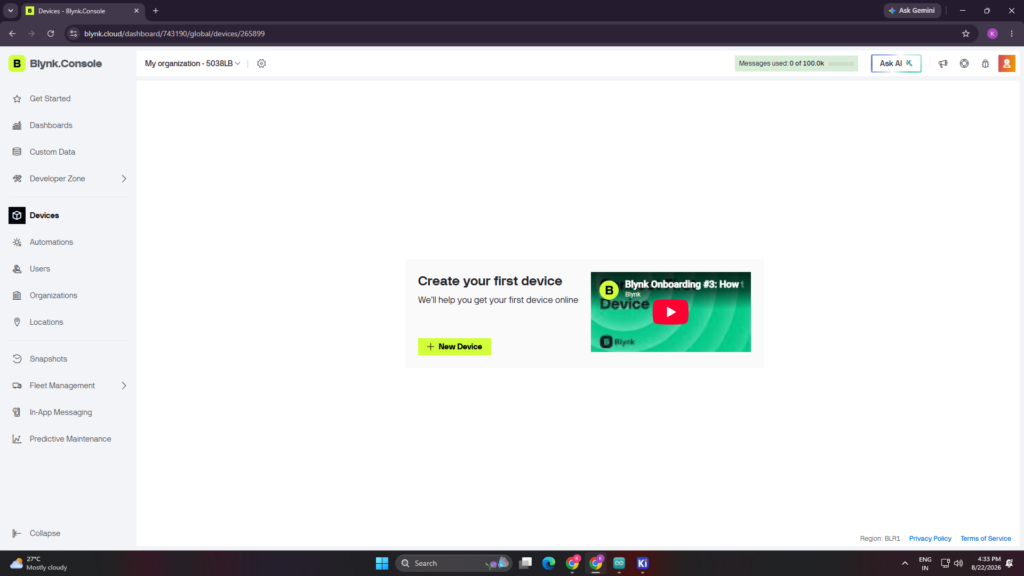
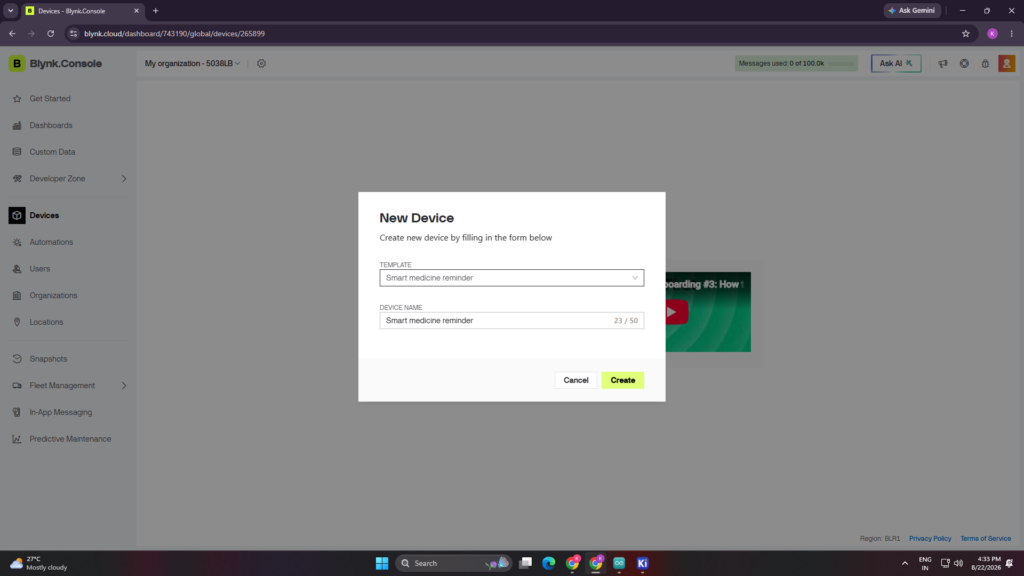
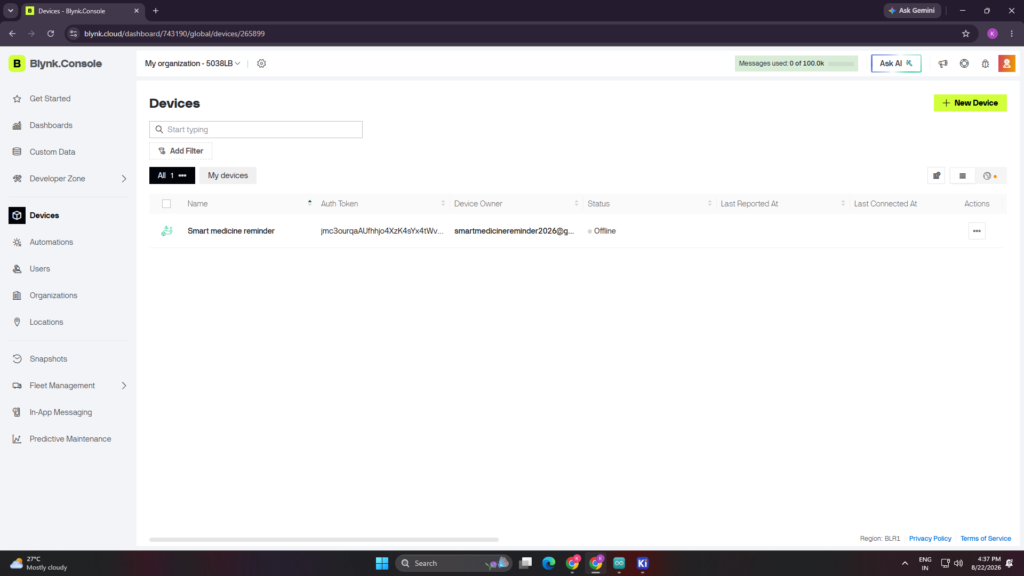
Create Device and add my Template
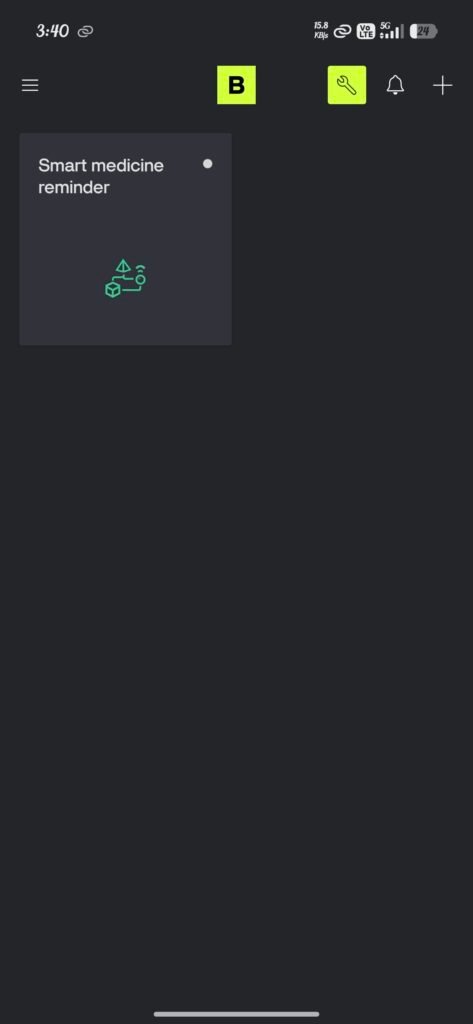
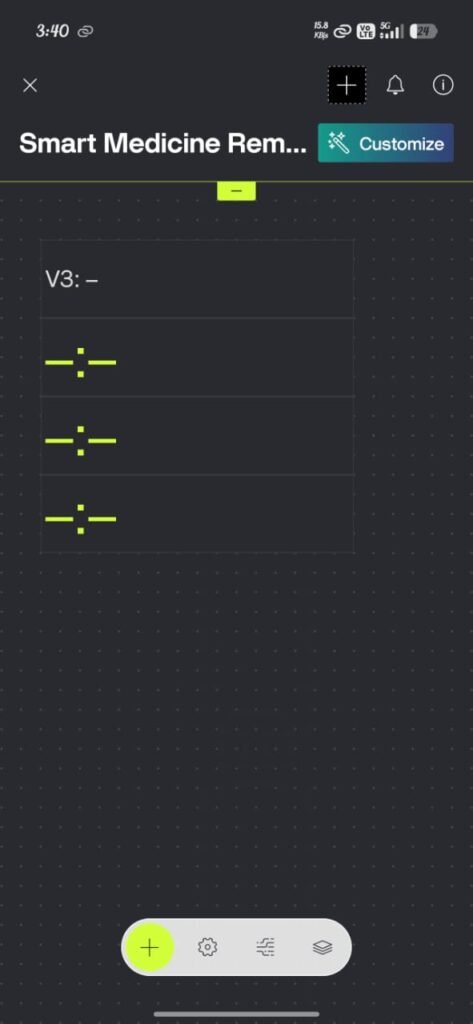
Create the Dashboard on App and DataStream
- V3
- V0
- V1
- V2
Testing on Breadboard
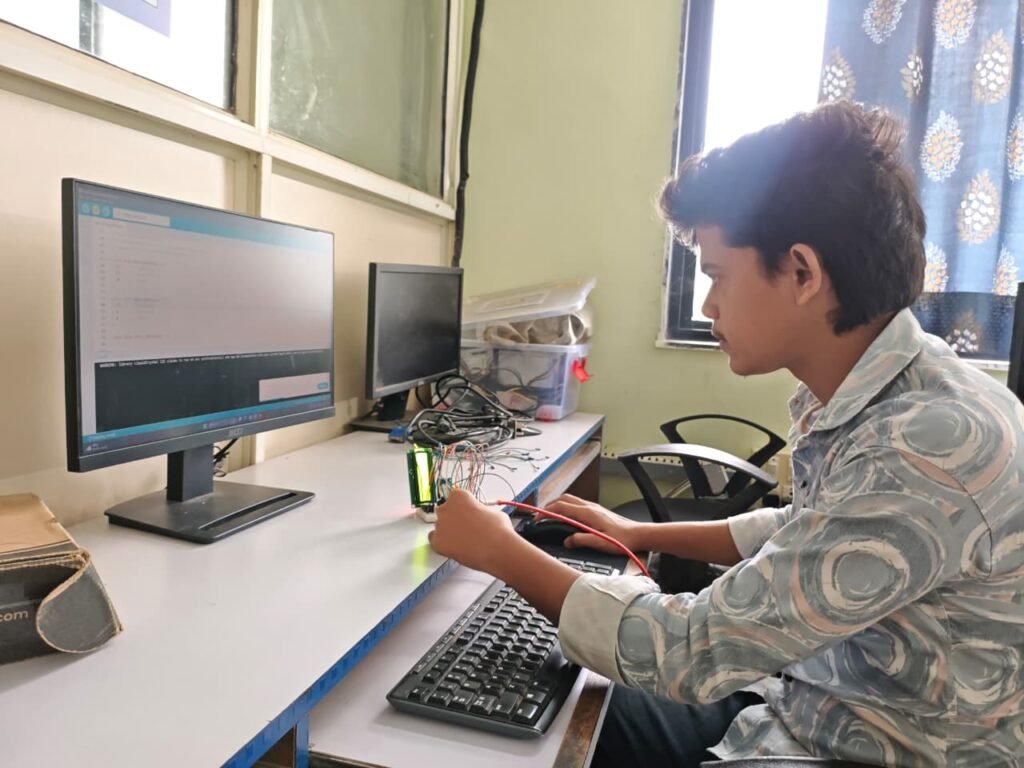
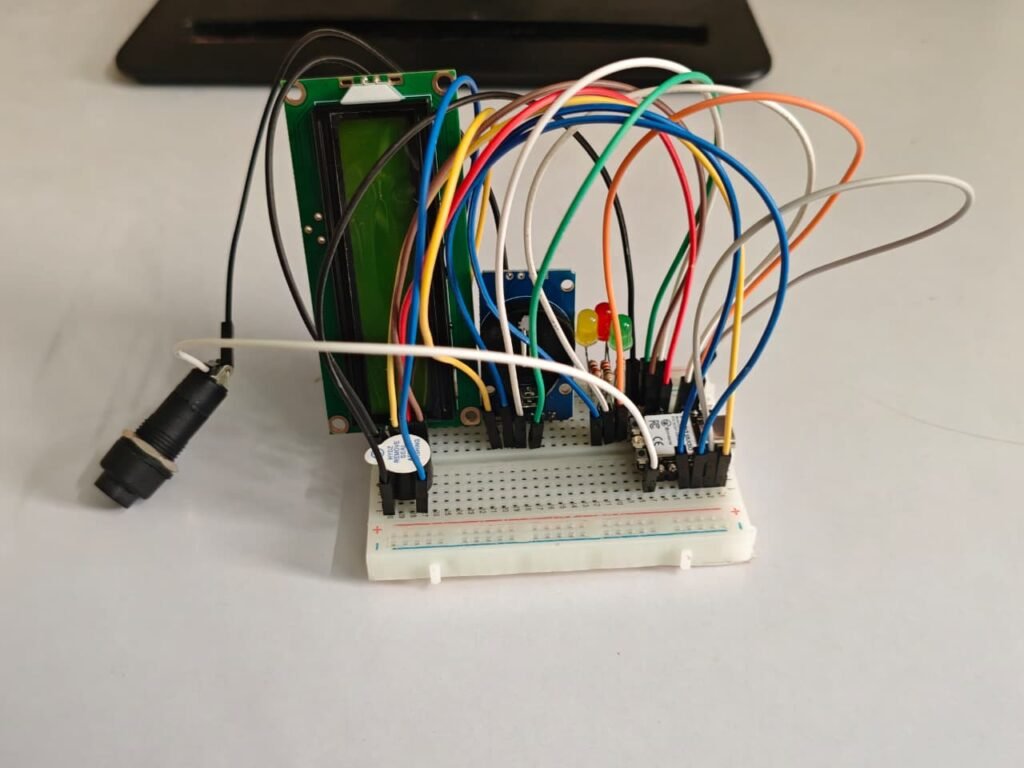
Before assembling the components on the final PCB, the Smart Medicine Reminder circuit was first tested on a breadboard. The XIAO ESP32-C3, DS3231 RTC, LCD, buzzer, LEDs, and push button were connected according to the circuit design.
The DS3231 RTC was tested to check whether it was providing the correct time. The LCD was checked to make sure that the time and reminder messages were displayed properly. The buzzer and LEDs were tested to confirm that they worked correctly at the set medicine reminder time. The push button was also tested for setting or changing the reminder time.The Wi-Fi connection and Blynk app were tested to check whether the mobile notification was received at the correct reminder time. After testing each part successfully, the complete circuit was tested together. This helped to find and correct connection and programming errors before transferring the circuit to the final PCB.
Main Code
#define BLYNK_TEMPLATE_ID "YOUR_TEMPLATE_ID"
#define BLYNK_TEMPLATE_NAME "YOUR_TEMPLATE_NAME"
#define BLYNK_AUTH_TOKEN "YOUR_AUTH_TOKEN"

#include <WiFi.h>
#include <BlynkSimpleEsp32.h>
#include <Wire.h>
#include <RTClib.h>
#include <LiquidCrystal_I2C.h>

// =====================================================
// WIFI
// =====================================================

char ssid[] = "YOUR_WIFI_NAME";
char pass[] = "YOUR_WIFI_PASSWORD";

// =====================================================
// RTC + LCD
// =====================================================

RTC_DS3231 rtc;
LiquidCrystal_I2C lcd(0x27, 16, 2);

// =====================================================
// PCB PINS
// =====================================================

#define GREEN_LED   4     // D2 - Morning
#define RED_LED     10    // D10 - Afternoon
#define YELLOW_LED  3     // D1 - Night

#define BUZZER      21    // D6
#define BUTTON_PIN  8     // D8

#define SDA_PIN     6     // D4
#define SCL_PIN     7     // D5

// =====================================================
// MEDICINE NAMES
// =====================================================

const char* medicineName[3] = {
  "MORNING MED",
  "AFTERNOON MED",
  "NIGHT MED"
};

// =====================================================
// DEFAULT MEDICINE TIMES
// =====================================================

int medicineHour[3] = {
  8,
  16,
  20
};

int medicineMinute[3] = {
  0,
  14,
  0
};

// =====================================================
// REMINDER
// =====================================================

bool reminderActive = false;

int activeMedicine = -1;

unsigned long reminderStartTime = 0;

const unsigned long REMINDER_DURATION = 30000UL;

// =====================================================
// DAILY TRIGGER
// =====================================================

int lastTriggeredDay[3] = {
  -1,
  -1,
  -1
};

// =====================================================
// LCD TIMER
// =====================================================

unsigned long lastLCDUpdate = 0;

// =====================================================
// BUTTON
// =====================================================

bool lastButtonState = HIGH;

unsigned long lastButtonChange = 0;

const unsigned long BUTTON_DEBOUNCE = 50;

// =====================================================
// BLYNK TIMER
// =====================================================

BlynkTimer timer;

// =====================================================
// FUNCTION DECLARATIONS
// =====================================================

void checkMedicineTime(DateTime now);

void startReminder(int medicine);

void handleReminder();

void medicineTaken();

void stopReminder();

void showNormalScreen(DateTime now);

void sendRTCToBlynk();

void printCurrentTime();

void setMedicineTimeFromBlynk(
  int medicine,
  String value
);

// =====================================================
// SETUP
// =====================================================

void setup() {

  Serial.begin(115200);

  delay(500);

  // ===================================================
  // GPIO
  // ===================================================

  pinMode(GREEN_LED, OUTPUT);
  pinMode(RED_LED, OUTPUT);
  pinMode(YELLOW_LED, OUTPUT);

  pinMode(BUZZER, OUTPUT);

  pinMode(BUTTON_PIN, INPUT_PULLUP);

  // ===================================================
  // ALL OFF
  // ===================================================

  digitalWrite(GREEN_LED, LOW);
  digitalWrite(RED_LED, LOW);
  digitalWrite(YELLOW_LED, LOW);
  digitalWrite(BUZZER, LOW);

  // ===================================================
  // I2C
  // ===================================================

  Wire.begin(SDA_PIN, SCL_PIN);

  // ===================================================
  // LCD
  // ===================================================

  lcd.init();
  lcd.backlight();

  lcd.clear();

  lcd.setCursor(0, 0);
  lcd.print("SMART MEDICINE");

  lcd.setCursor(0, 1);
  lcd.print("Starting...");

  delay(1500);

  // ===================================================
  // RTC
  // ===================================================

  if (!rtc.begin()) {

    lcd.clear();

    lcd.setCursor(0, 0);
    lcd.print("RTC ERROR!");

    Serial.println("DS3231 NOT FOUND!");

    while (1) {
      delay(100);
    }
  }

  Serial.println("DS3231 FOUND!");

  // ===================================================
  // CURRENT RTC TIME
  // ===================================================

  Serial.print("RTC Current Time: ");

  printCurrentTime();

  // ===================================================
  // WIFI + BLYNK
  // ===================================================

  lcd.clear();

  lcd.setCursor(0, 0);
  lcd.print("Connecting WiFi");

  Blynk.begin(
    BLYNK_AUTH_TOKEN,
    ssid,
    pass
  );

  // ===================================================
  // SEND RTC TO BLYNK
  // ===================================================

  timer.setInterval(
    1000L,
    sendRTCToBlynk
  );

  // ===================================================
  // READY
  // ===================================================

  lcd.clear();

  lcd.setCursor(0, 0);
  lcd.print("SYSTEM READY");

  delay(1000);

  lcd.clear();

  Serial.println();
  Serial.println("==============================");
  Serial.println("SMART MEDICINE READY");
  Serial.println("==============================");

  Serial.println("Morning   : 08:00");
  Serial.println("Afternoon : 15:08");
  Serial.println("Night     : 20:00");
}

// =====================================================
// LOOP
// =====================================================

void loop() {

  // Blynk communication
  Blynk.run();

  // Blynk timer
  timer.run();

  // ===================================================
  // READ RTC
  // ===================================================

  DateTime now = rtc.now();

  // ===================================================
  // REMINDER ACTIVE
  // ===================================================

  if (reminderActive) {

    handleReminder();

  }

  else {

    // Check medicine time
    checkMedicineTime(now);

    // Normal LCD
    showNormalScreen(now);
  }

  // ===================================================
  // BUTTON
  // ===================================================

  bool currentButtonState =
    digitalRead(BUTTON_PIN);

  if (lastButtonState == HIGH &&
      currentButtonState == LOW) {

    if (millis() - lastButtonChange >=
        BUTTON_DEBOUNCE) {

      lastButtonChange = millis();

      if (reminderActive) {

        medicineTaken();
      }
    }
  }

  lastButtonState = currentButtonState;

  delay(10);
}

// =====================================================
// BLYNK MORNING TIME - V0
// =====================================================

BLYNK_WRITE(V0) {

  String value = param.asString();

  Serial.print("Blynk Morning Raw: ");
  Serial.println(value);

  setMedicineTimeFromBlynk(
    0,
    value
  );
}

// =====================================================
// BLYNK AFTERNOON TIME - V1
// =====================================================

BLYNK_WRITE(V1) {

  String value = param.asString();

  Serial.print("Blynk Afternoon Raw: ");
  Serial.println(value);

  setMedicineTimeFromBlynk(
    1,
    value
  );
}

// =====================================================
// BLYNK NIGHT TIME - V2
// =====================================================

BLYNK_WRITE(V2) {

  String value = param.asString();

  Serial.print("Blynk Night Raw: ");
  Serial.println(value);

  setMedicineTimeFromBlynk(
    2,
    value
  );
}

// =====================================================
// BLYNK TIME CONVERSION
// =====================================================
//
// Blynk Time Input can send:
//
// 58020
//
// OR
//
// 58020 Asia/Calcutta 19800
//
// We take only the first number.
// =====================================================

void setMedicineTimeFromBlynk(
  int medicine,
  String value
) {

  value.trim();

  // ===================================================
  // FIND FIRST SPACE
  // ===================================================

  int firstSpace =
    value.indexOf(' ');

  String secondsString;

  if (firstSpace > 0) {

    secondsString =
      value.substring(
        0,
        firstSpace
      );

  }

  else {

    secondsString = value;
  }

  secondsString.trim();

  // ===================================================
  // CONVERT TO SECONDS
  // ===================================================

  long totalSeconds =
    secondsString.toInt();

  Serial.print("Seconds received: ");
  Serial.println(totalSeconds);

  // ===================================================
  // VALIDATE
  // ===================================================

  if (totalSeconds < 0 ||
      totalSeconds >= 86400) {

    Serial.println("Invalid Blynk time!");

    return;
  }

  // ===================================================
  // SECONDS -> HOUR
  // ===================================================

  int hour =
    totalSeconds / 3600;

  // ===================================================
  // SECONDS -> MINUTE
  // ===================================================

  int minute =
    (totalSeconds % 3600) / 60;

  // ===================================================
  // SAVE TIME
  // ===================================================

  medicineHour[medicine] =
    hour;

  medicineMinute[medicine] =
    minute;

  // ===================================================
  // SERIAL
  // ===================================================

  Serial.print("Updated ");

  Serial.print(
    medicineName[medicine]
  );

  Serial.print(" Time = ");

  if (hour < 10)
    Serial.print("0");

  Serial.print(hour);

  Serial.print(":");

  if (minute < 10)
    Serial.print("0");

  Serial.println(minute);

  Serial.println(
    "Medicine time updated successfully."
  );

  // ===================================================
  // READ CURRENT RTC
  // ===================================================

  DateTime now = rtc.now();

  Serial.print("Current RTC = ");

  if (now.hour() < 10)
    Serial.print("0");

  Serial.print(now.hour());

  Serial.print(":");

  if (now.minute() < 10)
    Serial.print("0");

  Serial.print(now.minute());

  Serial.print(":");

  if (now.second() < 10)
    Serial.print("0");

  Serial.println(now.second());

  // ===================================================
  // IMPORTANT:
  // IF APP TIME == CURRENT RTC TIME
  // START REMINDER IMMEDIATELY
  // ===================================================

  if (now.hour() == hour &&
      now.minute() == minute) {

    if (lastTriggeredDay[medicine] !=
        now.day()) {

      Serial.println();
      Serial.println(
        "CURRENT TIME = MEDICINE TIME!"
      );

      Serial.println(
        "STARTING REMINDER NOW!"
      );

      lastTriggeredDay[medicine] =
        now.day();

      startReminder(medicine);
    }
  }
}

// =====================================================
// CHECK MEDICINE TIME
// =====================================================

void checkMedicineTime(DateTime now) {

  int currentMinutes =
    now.hour() * 60 +
    now.minute();

  for (int i = 0; i < 3; i++) {

    int medicineMinutes =
      medicineHour[i] * 60 +
      medicineMinute[i];

    // =================================================
    // TIME MATCH
    // =================================================

    if (currentMinutes ==
        medicineMinutes) {

      // =================================================
      // ONLY ONCE PER DAY
      // =================================================

      if (lastTriggeredDay[i] !=
          now.day()) {

        lastTriggeredDay[i] =
          now.day();

        Serial.println();
        Serial.println(
          "=============================="
        );

        Serial.println(
          "MEDICINE TIME REACHED!"
        );

        Serial.print(
          "Medicine: "
        );

        Serial.println(
          medicineName[i]
        );

        Serial.print(
          "RTC Time: "
        );

        if (now.hour() < 10)
          Serial.print("0");

        Serial.print(now.hour());

        Serial.print(":");

        if (now.minute() < 10)
          Serial.print("0");

        Serial.println(now.minute());

        Serial.println(
          "=============================="
        );

        // START REMINDER
        startReminder(i);

        return;
      }
    }
  }
}

// =====================================================
// START REMINDER
// =====================================================

void startReminder(int medicine) {

  reminderActive = true;

  activeMedicine = medicine;

  reminderStartTime =
    millis();

  // ===================================================
  // ALL LED OFF FIRST
  // ===================================================

  digitalWrite(
    GREEN_LED,
    LOW
  );

  digitalWrite(
    RED_LED,
    LOW
  );

  digitalWrite(
    YELLOW_LED,
    LOW
  );

  // ===================================================
  // SELECT LED
  // ===================================================

  if (medicine == 0) {

    // MORNING
    digitalWrite(
      GREEN_LED,
      HIGH
    );
  }

  else if (medicine == 1) {

    // AFTERNOON
    digitalWrite(
      RED_LED,
      HIGH
    );
  }

  else if (medicine == 2) {

    // NIGHT
    digitalWrite(
      YELLOW_LED,
      HIGH
    );
  }

  // ===================================================
  // BUZZER ON
  // ===================================================

  digitalWrite(
    BUZZER,
    HIGH
  );

  // ===================================================
  // LCD
  // ===================================================

  lcd.clear();

  lcd.setCursor(0, 0);
  lcd.print("TAKE MEDICINE");

  lcd.setCursor(0, 1);
  lcd.print(
    medicineName[medicine]
  );

  // ===================================================
  // SERIAL
  // ===================================================

  Serial.println();
  Serial.println(
    "******************************"
  );

  Serial.print(
    "REMINDER STARTED: "
  );

  Serial.println(
    medicineName[medicine]
  );

  Serial.println(
    "LED = ON"
  );

  Serial.println(
    "BUZZER = ON"
  );

  Serial.println(
    "30 SECOND TIMER STARTED"
  );

  Serial.println(
    "******************************"
  );

  // ===================================================
  // BLYNK NOTIFICATION
  // ===================================================

  if (medicine == 0) {

    Blynk.logEvent(
      "morning_medicine",
      "Time to take your morning medicine."
    );
  }

  else if (medicine == 1) {

    Blynk.logEvent(
      "afternoon_medicine",
      "Time to take your afternoon medicine."
    );
  }

  else if (medicine == 2) {

    Blynk.logEvent(
      "night_medicine",
      "Time to take your night medicine."
    );
  }
}

// =====================================================
// HANDLE ACTIVE REMINDER
// =====================================================

void handleReminder() {

  unsigned long elapsed =
    millis() -
    reminderStartTime;

  // ===================================================
  // KEEP CORRECT LED ON
  // ===================================================

  if (activeMedicine == 0) {

    digitalWrite(
      GREEN_LED,
      HIGH
    );
  }

  else if (activeMedicine == 1) {

    digitalWrite(
      RED_LED,
      HIGH
    );
  }

  else if (activeMedicine == 2) {

    digitalWrite(
      YELLOW_LED,
      HIGH
    );
  }

  // ===================================================
  // KEEP BUZZER ON
  // ===================================================

  digitalWrite(
    BUZZER,
    HIGH
  );

  // ===================================================
  // LCD COUNTDOWN
  // ===================================================

  if (millis() -
      lastLCDUpdate >= 500) {

    lastLCDUpdate =
      millis();

    unsigned long remaining = 0;

    if (elapsed <
        REMINDER_DURATION) {

      remaining =
        (REMINDER_DURATION -
         elapsed) / 1000;
    }

    lcd.clear();

    lcd.setCursor(0, 0);

    lcd.print(
      medicineName[
        activeMedicine
      ]
    );

    lcd.setCursor(0, 1);

    lcd.print(
      "PRESS BTN "
    );

    if (remaining < 10)
      lcd.print("0");

    lcd.print(
      remaining
    );

    lcd.print("s");
  }

  // ===================================================
  // 30 SECOND COMPLETE
  // ===================================================

  if (elapsed >=
      REMINDER_DURATION) {

    stopReminder();

    lcd.clear();

    lcd.setCursor(0, 0);
    lcd.print("REMINDER END");

    lcd.setCursor(0, 1);
    lcd.print("NO RESPONSE");

    Serial.println(
      "30 SEC COMPLETE"
    );

    Serial.println(
      "LED OFF"
    );

    Serial.println(
      "BUZZER OFF"
    );

    delay(1500);

    lcd.clear();
  }
}

// =====================================================
// BUTTON PRESSED
// =====================================================

void medicineTaken() {

  Serial.println(
    "BUTTON PRESSED"
  );

  Serial.println(
    "MEDICINE TAKEN"
  );

  stopReminder();

  lcd.clear();

  lcd.setCursor(0, 0);
  lcd.print("MEDICINE TAKEN");

  lcd.setCursor(0, 1);

  lcd.print(
    medicineName[
      activeMedicine
    ]
  );

  delay(1500);

  lcd.clear();
}

// =====================================================
// STOP REMINDER
// =====================================================

void stopReminder() {

  reminderActive = false;

  // ALL LEDs OFF

  digitalWrite(
    GREEN_LED,
    LOW
  );

  digitalWrite(
    RED_LED,
    LOW
  );

  digitalWrite(
    YELLOW_LED,
    LOW
  );

  // BUZZER OFF

  digitalWrite(
    BUZZER,
    LOW
  );

  Serial.println(
    "REMINDER OFF"
  );
}

// =====================================================
// NORMAL LCD
// =====================================================

void showNormalScreen(DateTime now) {

  if (millis() -
      lastLCDUpdate < 1000) {

    return;
  }

  lastLCDUpdate =
    millis();

  lcd.clear();

  // ===================================================
  // CURRENT RTC TIME
  // ===================================================

  lcd.setCursor(0, 0);

  if (now.hour() < 10)
    lcd.print("0");

  lcd.print(
    now.hour()
  );

  lcd.print(":");

  if (now.minute() < 10)
    lcd.print("0");

  lcd.print(
    now.minute()
  );

  lcd.print(":");

  if (now.second() < 10)
    lcd.print("0");

  lcd.print(
    now.second()
  );

  // ===================================================
  // NEXT MEDICINE
  // ===================================================

  int nextMedicine =
    getNextMedicine(now);

  lcd.setCursor(0, 1);

  lcd.print("NEXT ");

  if (medicineHour[nextMedicine] < 10)
    lcd.print("0");

  lcd.print(
    medicineHour[nextMedicine]
  );

  lcd.print(":");

  if (medicineMinute[nextMedicine] < 10)
    lcd.print("0");

  lcd.print(
    medicineMinute[nextMedicine]
  );
}

// =====================================================
// GET NEXT MEDICINE
// =====================================================

int getNextMedicine(DateTime now) {

  int currentMinutes =
    now.hour() * 60 +
    now.minute();

  int bestMedicine = 0;

  int bestTime =
    24 * 60;

  for (int i = 0; i < 3; i++) {

    int medicineTime =
      medicineHour[i] * 60 +
      medicineMinute[i];

    if (medicineTime >
        currentMinutes &&
        medicineTime <
        bestTime) {

      bestTime =
        medicineTime;

      bestMedicine = i;
    }
  }

  return bestMedicine;
}

// =====================================================
// SEND RTC TIME TO BLYNK
// =====================================================

void sendRTCToBlynk() {

  DateTime now =
    rtc.now();

  char timeBuffer[10];

  sprintf(
    timeBuffer,
    "%02d:%02d:%02d",
    now.hour(),
    now.minute(),
    now.second()
  );

  Blynk.virtualWrite(
    V3,
    timeBuffer
  );
}

// =====================================================
// PRINT RTC TIME
// =====================================================

void printCurrentTime() {

  DateTime now =
    rtc.now();

  if (now.hour() < 10)
    Serial.print("0");

  Serial.print(
    now.hour()
  );

  Serial.print(":");

  if (now.minute() < 10)
    Serial.print("0");

  Serial.print(
    now.minute()
  );

  Serial.print(":");

  if (now.second() < 10)
    Serial.print("0");

  Serial.println(
    now.second()
  );
}
3D Case Designing
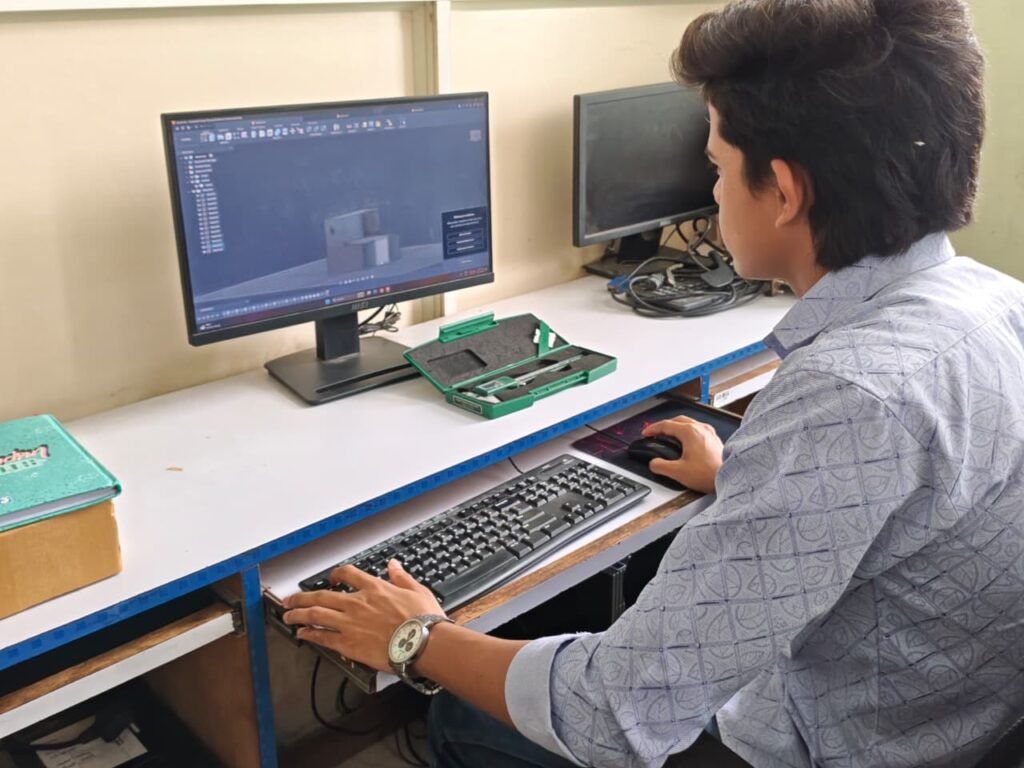
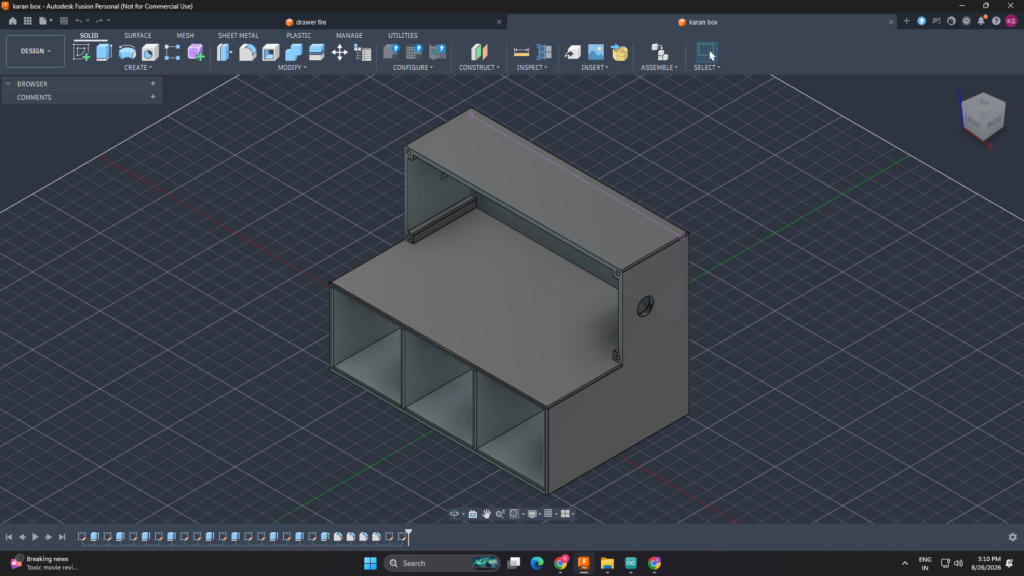
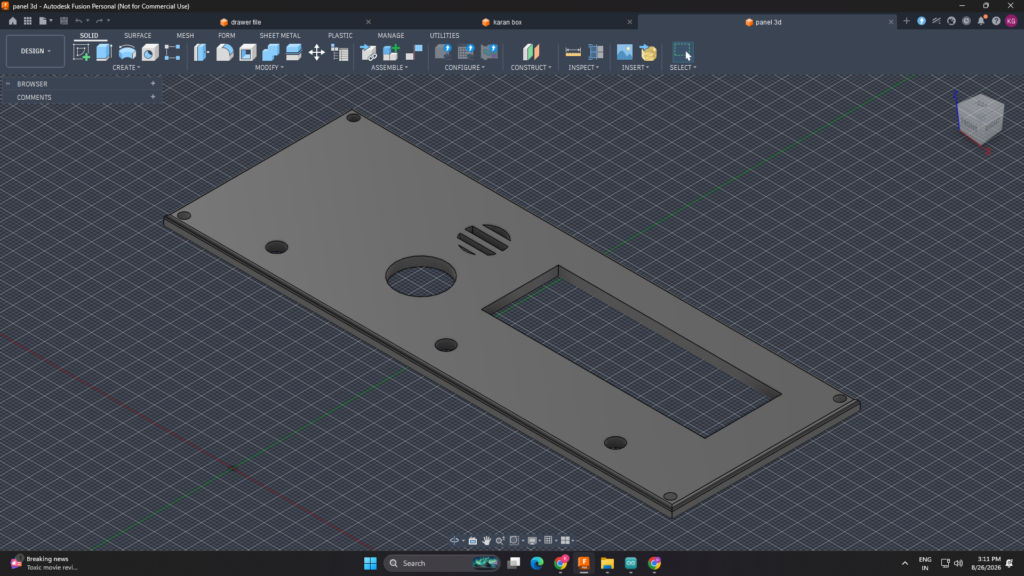
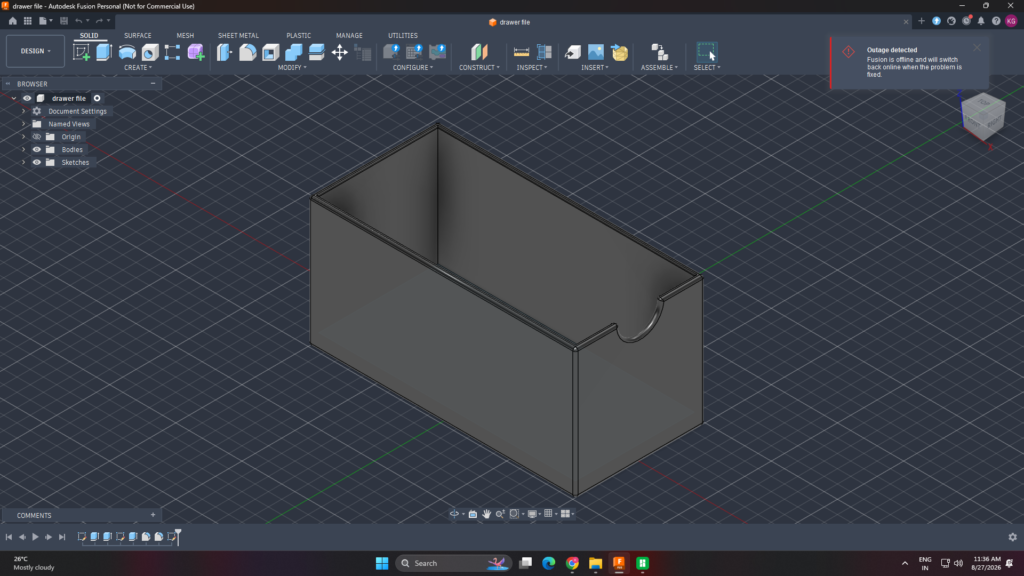
A 3D case was designed to hold and protect the electronic components of the Smart Medicine Reminder. The case was designed according to the size and arrangement of the PCB and other components. Proper space was provided for the LCD display, LEDs, push button, buzzer, and other required connections.
The design was made with a simple and compact structure so that the components can be placed properly inside the case. Openings were provided for the LCD and LED indicators so that the information and alerts can be seen easily. A suitable opening was also provided for the push button and external connections.
The 3D case design helps to protect the PCB from dust and accidental damage. It also gives the project a clean and professional appearance and makes the final system easier to handle and use.
3D Printing
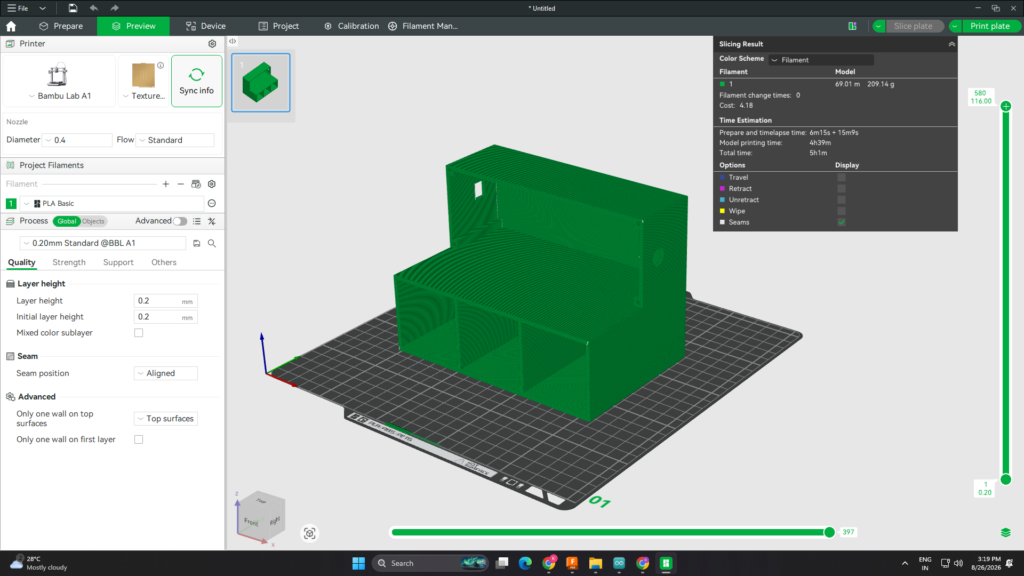
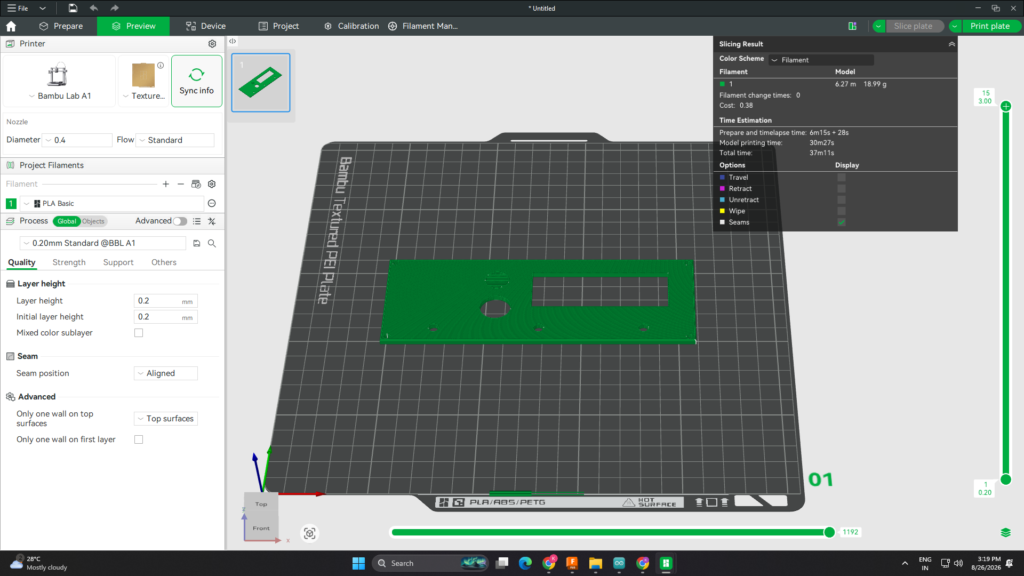
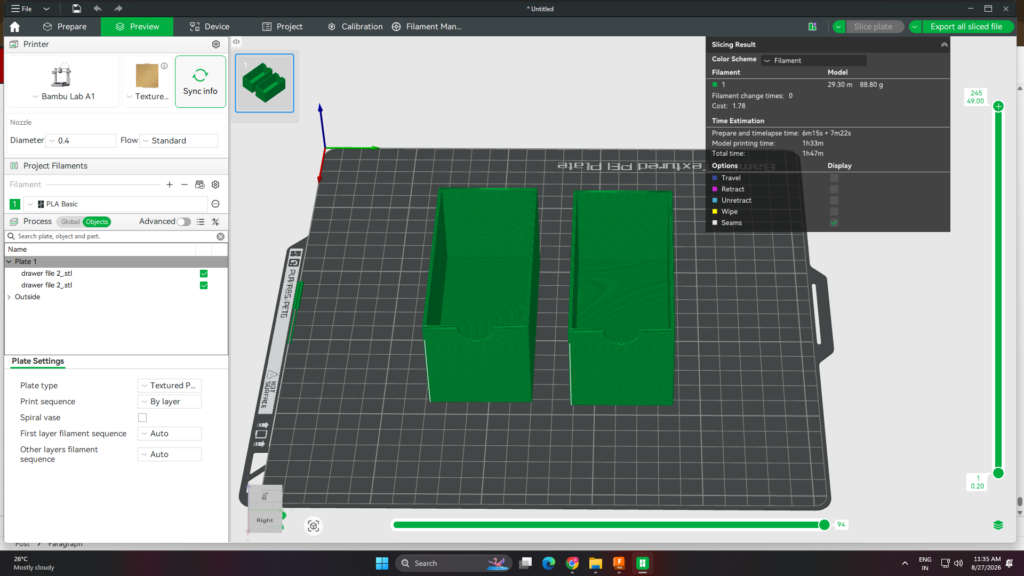
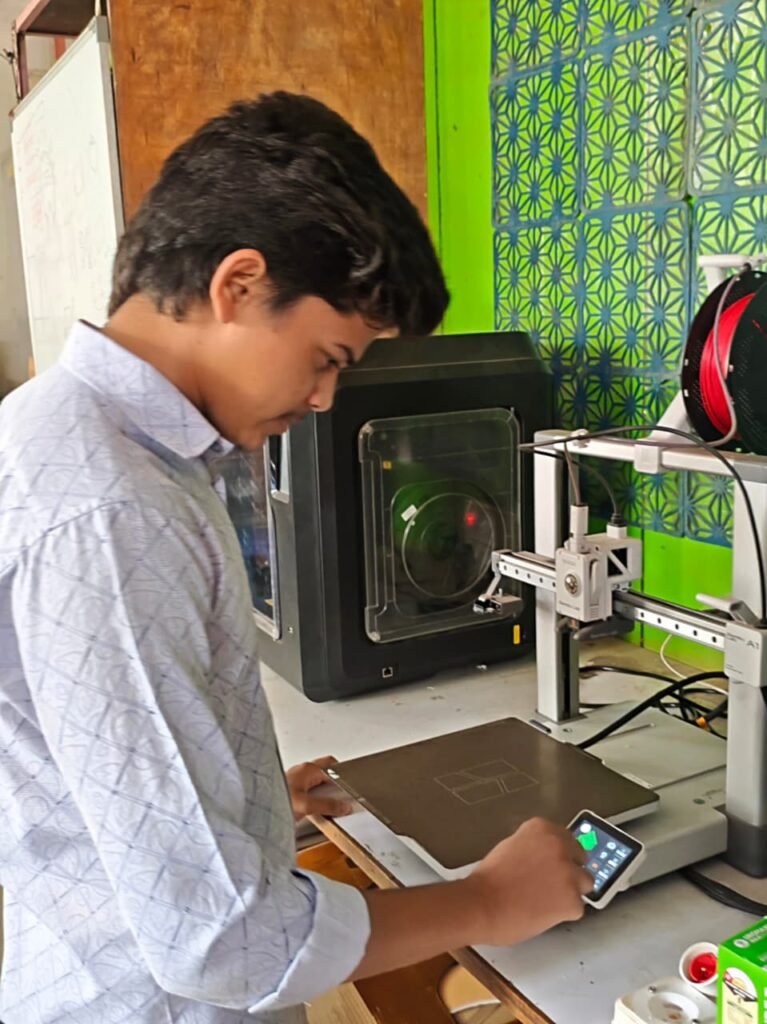
After completing the 3D case design, the final model was prepared for printing on the Bambu Lab A1 Carbon 3D printer. The 3D model was first checked for its dimensions and component placement to make sure that the case would fit the PCB and other components properly.
The model was then sliced with the required print settings and prepared for the printer. The case was printed layer by layer, which helped to create the required shape and openings accurately. Care was taken to maintain the correct dimensions and print quality during the process.
After printing was completed, the case was removed from the printer and checked for any printing defects. The LCD opening, LED openings, push button opening, and buzzer position were checked with the actual components. The PCB and other parts were then fitted inside the case to verify the overall assembly.The final 3D-printed case provided proper protection for the PCB and electronic components. It also made the Smart Medicine Reminder compact, organized, easy to handle, and gave the final project a clean and professional appearance.
Final Testing
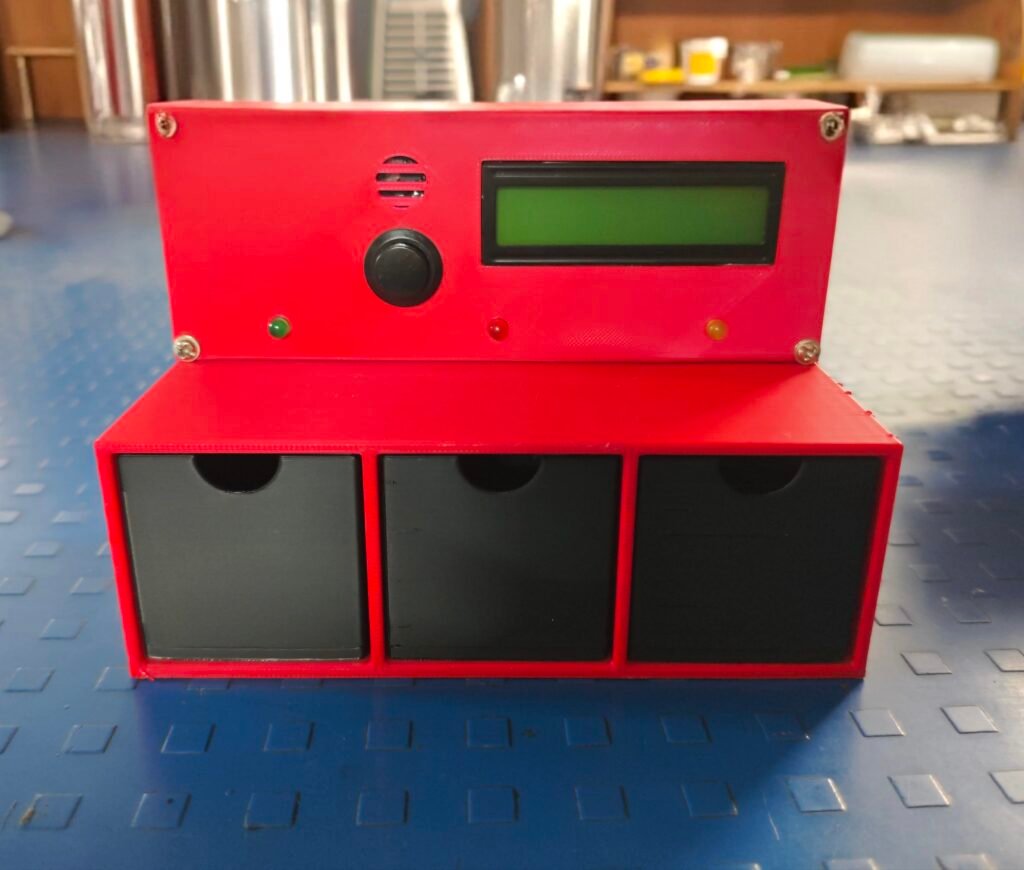
The final testing of the Smart Medicine Reminder was carried out after completing the PCB assembly, wiring, programming, and fitting the components into the 3D case. The complete system was powered on and all the main functions were checked together. The DS3231 RTC was checked for accurate time, and the LCD was tested to make sure that the current time and reminder information were displayed correctly.
The medicine reminder timings were tested for morning, afternoon, and night. When the set time was reached, the buzzer and the corresponding LED were activated, and the reminder message was displayed on the LCD. The push button was also tested to confirm the medicine reminder.
The Wi-Fi connection and Blynk app were tested to check whether the mobile notification was received at the correct reminder time. The final PCB connections, wiring, and 3D case assembly were also checked. After completing all the tests, the system was found to be working properly as expected.
Bill of Components i Used
| Component | Quantity | Cost (₹) |
|---|---|---|
| XIAO ESP32-C3 | 1 | ₹779.0 |
| DS3231 RTC | 1 | ₹125 |
| LCD Display | 1 | ₹180 |
| Buzzer | 1 | ₹15 |
| LED | 3 | ₹4.41 |
| Push Button | 1 | ₹18 |
| Resistors | 3 | ₹3 |
| 5V Adapter | 1 | ₹150 |
| Feamale Connector of Adpater | 1 | ₹3 |
| PlA+ Filament | 361.3 g | 281.81 |
| Total Cost | ₹1455.35 |
Challenges Faced
1. Difficulty in PCB Trace Design
While designing the PCB, I found it difficult to create and route the traces properly in the PCB editor. Managing the trace paths between different components was challenging, especially when there was limited space on the PCB. I had to carefully check the connections and adjust the trace paths to avoid overlapping and unwanted connections. After making the required changes, I was able to complete the PCB layout properly.
2. RTC Time Reset Problem
The DS3231 RTC was not keeping the correct time after power was removed. Every time the system was restarted, the RTC time had to be set again. I checked the RTC connections and the code and worked on the RTC time-setting process to make sure the correct time was maintained.
3. Code Not Working Properly
During testing, the code did not work properly with all the components at the same time. Some functions such as the medicine reminder, LCD display, RTC, buzzer, LED, and Blynk notification needed further testing. I checked the code step by step, found the errors, and made the required changes to get the system working correctly.
4. Wi-Fi Connection Problem
While connecting the XIAO ESP32-C3 to Wi-Fi, I faced some connection issues. The board was not connecting properly to some mobile hotspots. I checked the Wi-Fi settings and code and tested the connection with different network settings.
5. Blynk Notification Problem
During testing, the Blynk mobile notification did not work properly every time. I checked the Blynk event settings, virtual pins, and code to find the problem. After making the required changes, the notification was tested again with the medicine reminder.
6. Difficulty During Final Assembly
During the final assembly, I faced some difficulty while fitting the PCB and wiring inside the 3D-printed case. The limited space made it challenging to arrange the wires and components properly without affecting the connections. I had to carefully manage the wiring and adjust the placement of the components so that everything could fit properly inside the case.
Future Scope
1. Multiple Medicine Reminders
The system can be improved to support more medicine schedules throughout the day.
2. Voice Reminder
A voice message can be added to remind the user which medicine needs to be taken.
3. Medicine Confirmation
A sensor or button can be added to confirm whether the user has taken the medicine.
4. Medicine History
The system can store the medicine reminder and taken history for future reference.
5. Family Member Notification
A notification can also be sent to a family member if the user does not respond to the reminder.
6. Mobile App Improvements
More features can be added to the Blynk app, such as easy medicine schedule setting and reminder status.
7. Battery Backup
A battery backup can be added so that the system can continue working during a power failure.
8. Compact Design
The PCB and 3D case can be further improved to make the system smaller, lighter, and easier to carry.
Overall Experience
Working on the Smart Medicine Reminder was a good learning experience for me. During the project, I learned how to work with the XIAO ESP32-C3, DS3231 RTC, LCD, LEDs, buzzer, PCB, and Blynk app. I also learned about PCB designing, PCB milling on the SRM-20, soldering, 3D case designing, and 3D printing.
I faced different problems during the development, such as difficulty in PCB trace design, RTC time resetting, code errors, Wi-Fi connection issues, and Blynk notification problems. Solving these problems helped me improve my troubleshooting and problem-solving skills. Testing the project step by step also helped me understand how hardware and software work together.
Overall, this project gave me practical experience in electronics, programming, PCB fabrication, and IoT. It also improved my confidence in building and testing a complete working project from the initial design to the final assembly.