
This is a project to control a entrance gate with the help of android app without any physical work. I have created some simple steps to achieve this goal please take a look.
Step 1:
Creating server on ESP32 to get input from App
#include “WiFi.h”
const char* ssid = “Gate”;
const char* password = “vigyanashram”;
WiFiServer server(80);
const int relay_1 = 2;
const int relay_2 = 4;
void processReceivedValue(char command){
if(command == ‘1’){ digitalWrite(relay_1, LOW); }
else if(command == ‘2’){ digitalWrite(relay_2, LOW);}
else if(command == ‘0’) {digitalWrite(relay_1, HIGH); digitalWrite(relay_2, HIGH);}
return;
}
void setup() {
Serial.begin(115200);
delay(1000);
WiFi.softAP(ssid, password);
// while (WiFi.status() != WL_CONNECTED) {
// delay(1000);
// Serial.println(“Connecting to WiFi..”);
// }
Serial.println(“Connecte to IP”);
Serial.println(WiFi.softAPIP());
server.begin();
pinMode(relay_1, OUTPUT);
digitalWrite(relay_1, HIGH);
pinMode(relay_2, OUTPUT);
digitalWrite(relay_2, HIGH);
}
void loop() {
WiFiClient client = server.available();
if (client) {
Serial.write(“Client connected”);
while (client.connected()) {
while (client.available()>0) {
char c = client.read();
processReceivedValue(c);
Serial.write(c);
}
delay(10);
}
client.stop();
Serial.println(“Client disconnected”);
}
}
Step 2:
App code in android Studio
protected void onCreate(Bundle savedInstanceState) {
    super.onCreate(savedInstanceState);
    setContentView(R.layout.activity_main);
    btn = (Button) findViewById(R.id.button);
    btn2 = (Button) findViewById(R.id.button2);
    btn3 = (Button) findViewById(R.id.button3);
    ssid = (EditText) findViewById(R.id.edittext_ssid);
    pass = (EditText) findViewById(R.id.edittext_pass);
    ip_address = (EditText) findViewById(R.id.edittext_pass);
    String SSID = ssid.getText().toString();
    String PASS = pass.getText().toString();
    WifiManager wifiManager = (WifiManager) getApplicationContext().getSystemService(Context.WIFI_SERVICE);
    WifiConfiguration wifiConfiguration = new WifiConfiguration();
    Toast.makeText(getApplicationContext(), "Please Turn OFF Mobile Data", Toast.LENGTH_LONG);


    wifiManager.setWifiEnabled(true);
    wifiConfiguration.SSID = String.format("\"%s\"", SSID);
    wifiConfiguration.preSharedKey = String.format("\"%s\"", PASS);

    int netId = wifiManager.addNetwork(wifiConfiguration);
    wifiManager.disconnect();
    wifiManager.enableNetwork(netId, true);
    wifiManager.reconnect();


    btn.setOnClickListener(new View.OnClickListener() {
        @Override
        public void onClick(View v) {
            new Thread(new UPThread()).start();
            btn2.setVisibility(View.INVISIBLE);

        }
    });

    btn3.setOnClickListener(new View.OnClickListener() {
        @Override
        public void onClick(View v) {
            new Thread(new STOPThread()).start();
            btn.setVisibility(View.VISIBLE);
            btn2.setVisibility(View.VISIBLE);
        }
    });

    btn2.setOnClickListener(new View.OnClickListener() {
        @Override
        public void onClick(View v) {
            new Thread(new DOWNThread()).start();
            btn.setVisibility(View.INVISIBLE);
        }
    });

}


private PrintWriter output;
private BufferedReader input;
class UPThread implements Runnable{
    @Override
    public void run() {
        String ipAdress = "192.168.4.1";
        try {
            socket = new Socket(ipAdress, 80);
            output = new PrintWriter(socket.getOutputStream());
            output.write("1");
            output.flush();
            socket.close();
        } catch (IOException e) {
            e.printStackTrace();
        }
    }
}
class DOWNThread implements Runnable{
    @Override
    public void run() {
        String ipAdress = "192.168.4.1";
        try{
            socket = new Socket(ipAdress, 80);
            output = new PrintWriter(socket.getOutputStream());
            output.write("2");
            output.flush();
            socket.close();
        }catch (IOException e){
            e.printStackTrace();
        }
    }
}
class STOPThread implements Runnable{
    @Override
    public void run() {
        String ipAdress = "192.168.4.1";
        try{
            socket = new Socket(ipAdress, 80);
            output = new PrintWriter(socket.getOutputStream());
            output.write("0");
            output.flush();
            socket.close();
        }catch (IOException e){
            e.printStackTrace();
        }
    }
}
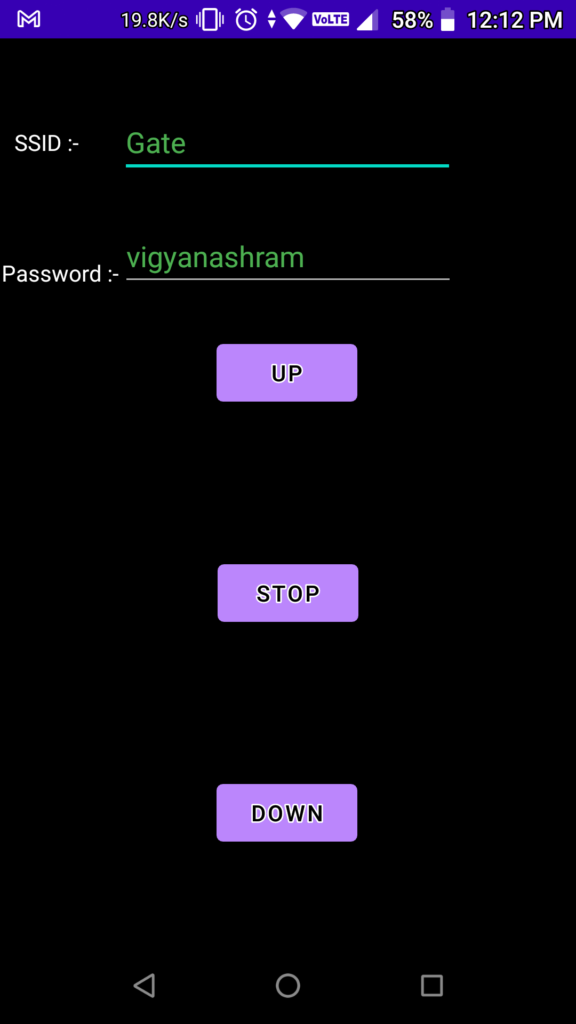
App Interface:-
Step 3:
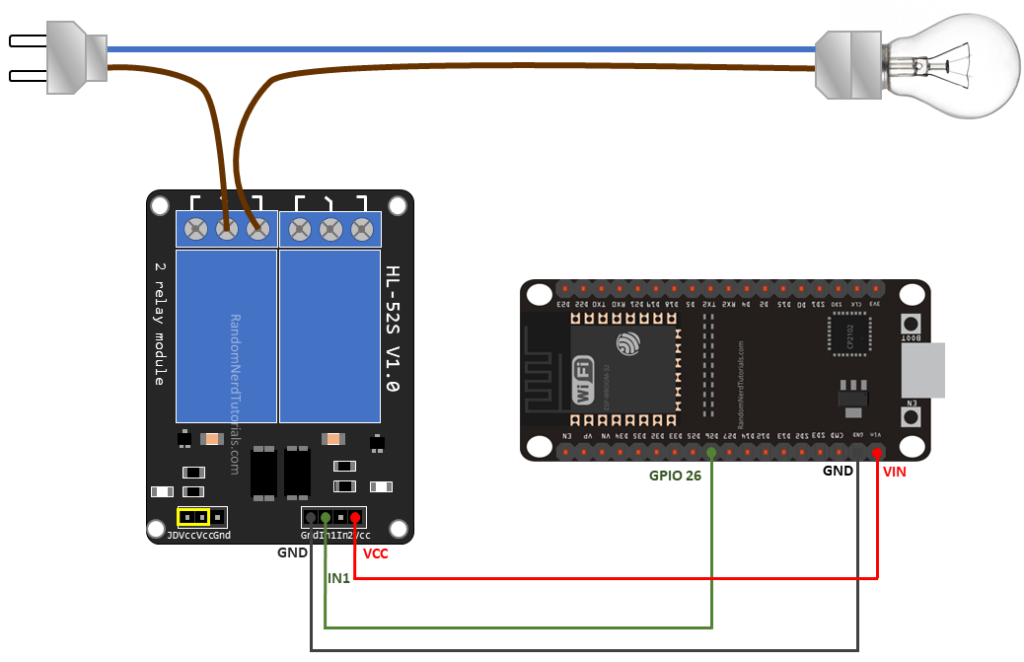
Circuit Diagram:
Motor Connections:-


Casing:-


Difficulties:-
- Difficulties occur in app development. The app world automatically on android version lower than 10.
- Creating a socket client in android app is a difficult part which I have cleared.
- Motor connections are complex to connect push buttons and IOT setup parallelly.
Sources:-
https://github.com/Himanshu495-rada/Automatic_Gate/blob/main/app-release.apk